CHAPTER 3
Small Configuration
Installing the Optical/Tributary Shelf
3-43
FLASHWAVE 7500 Release 6.1
Equipment Installation
Fujitsu and Fujitsu Customer Use Only
FNC-7500-0061-200
Issue 1, May 2009
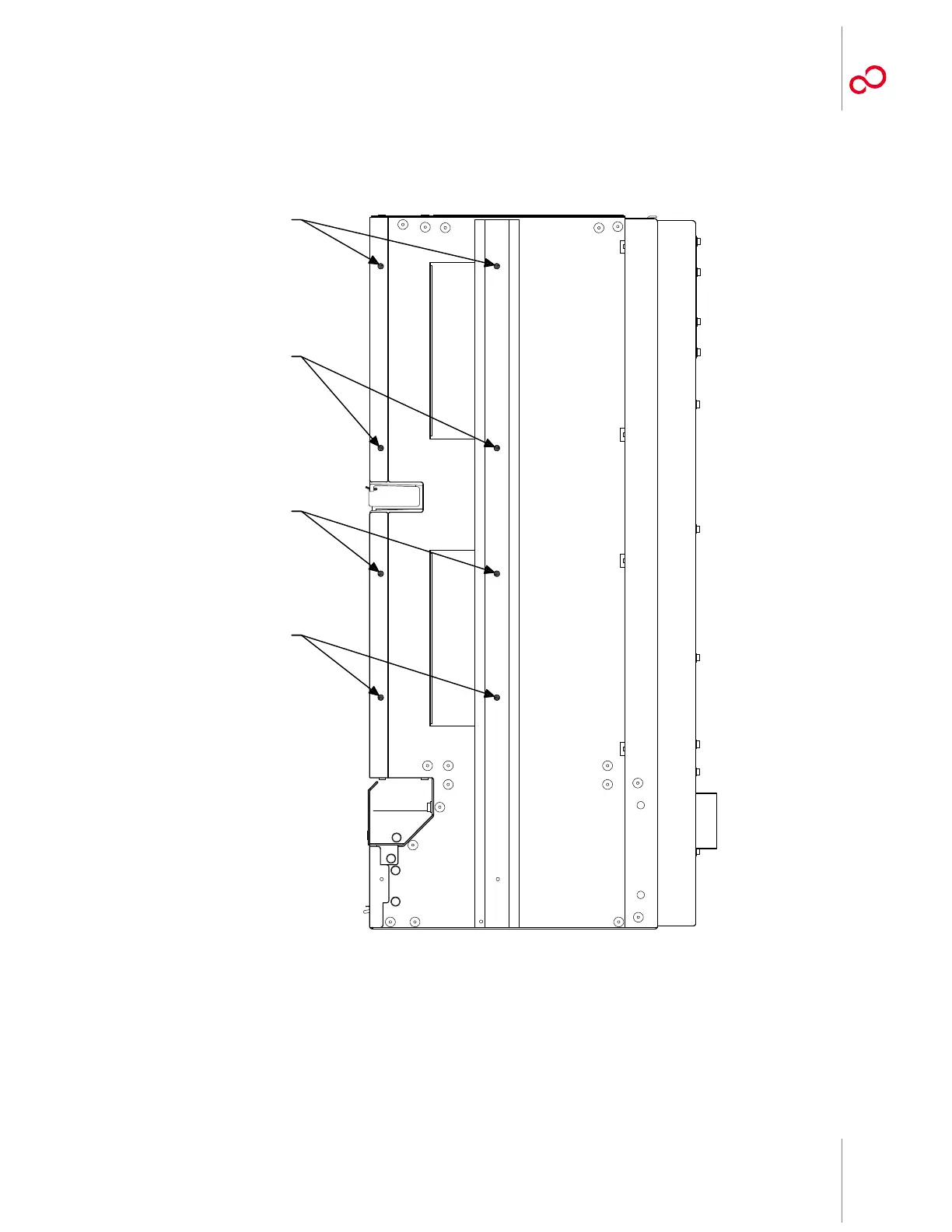
10 Identify the flange mounting holes on the sides of the Optical/Tributary shelf. See Figure 3-27
[p. 3-43].
11 Using eight pan-head Phillips M4 screws (8 mm long) on each side, secure the left and right
shelf flanges to the Optical/Tributary shelf as shown in Figure 3-20 [p. 3-36].
Figure 3-27: Flange Mounting Holes on Right Side of Optical/Tributary Shelf
Mounting Holes
Mounting Holes
Mounting Holes
Mounting Holes
m1656tb_1



 To Next Page