CHAPTER 3
Small Configuration
Installing the Optical/Tributary Shelf
FNC-7500-0061-200
Issue 1, May 2009
FLASHWAVE 7500 Release 6.1
Equipment Installation
3-42
Fujitsu and Fujitsu Customer Use Only
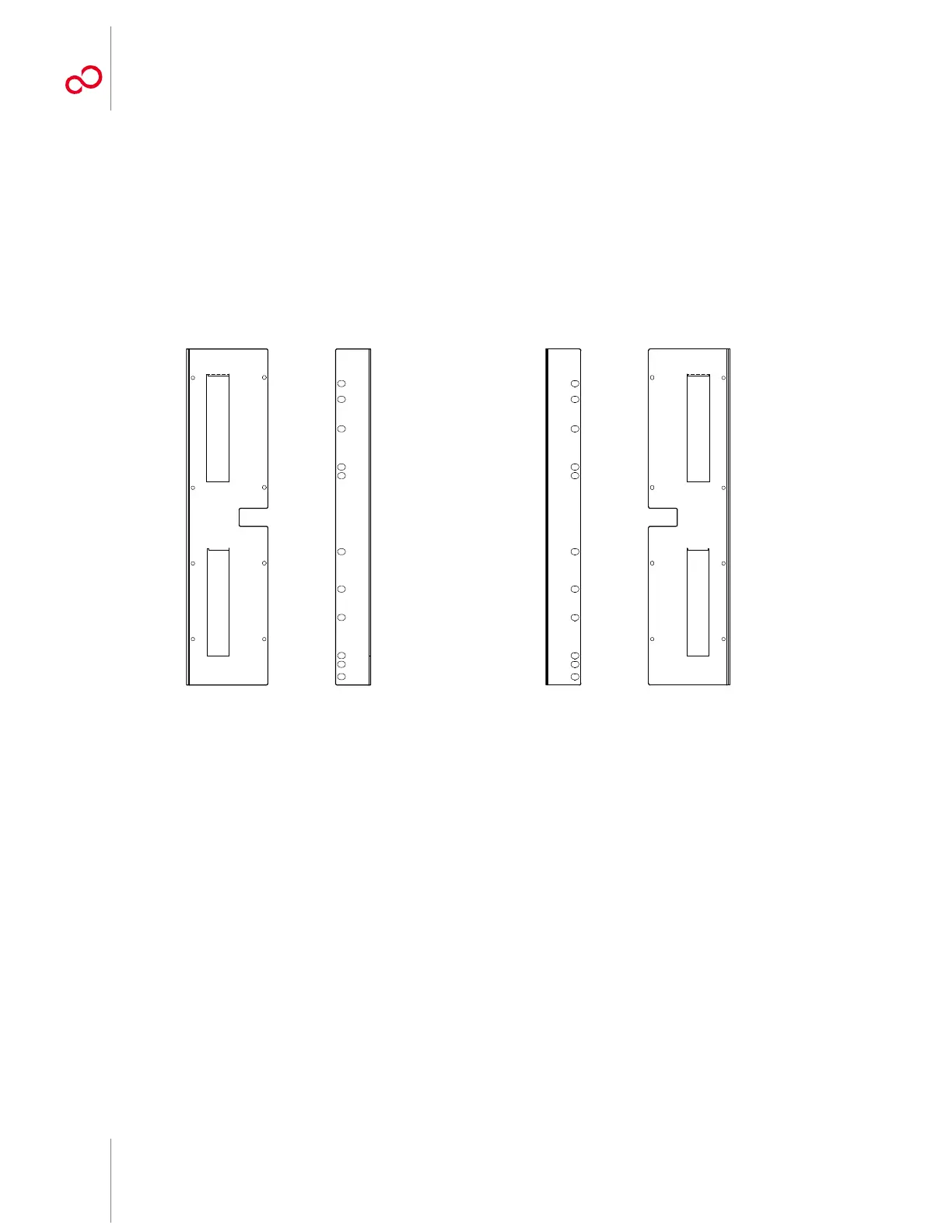
8 Get the flange kit for 23-inch rack mounting. Table 3-3 [p. 3-34] lists the flange kit part
numbers.
9 Identify the left and right shelf flanges. See Figure 3-20 [p. 3-36] and Figure 3-26 [p. 3-42].
Note: At first glance the two flanges for 23-inch rack mounting appear to be identical, but they are
not. See Figure 3-26 [p. 3-42]. When properly mounted, the cutout appears at the front of the shelf
(see Figure 3-27 [p. 3-43]) and flange holes align with the shelf mounting holes (see Figure 3-28
[p. 3-44]).
Left Shelf Flange Right Shelf Flange
Figure 3-26: Optical/Tributary Shelf Mounting Flanges for 23-Inch Rack Mounting
(Front and Side Views)



 To Next Page