SERVICING
109
PULSE Installaon, Commissioning and Servicing Manual - Revision 19
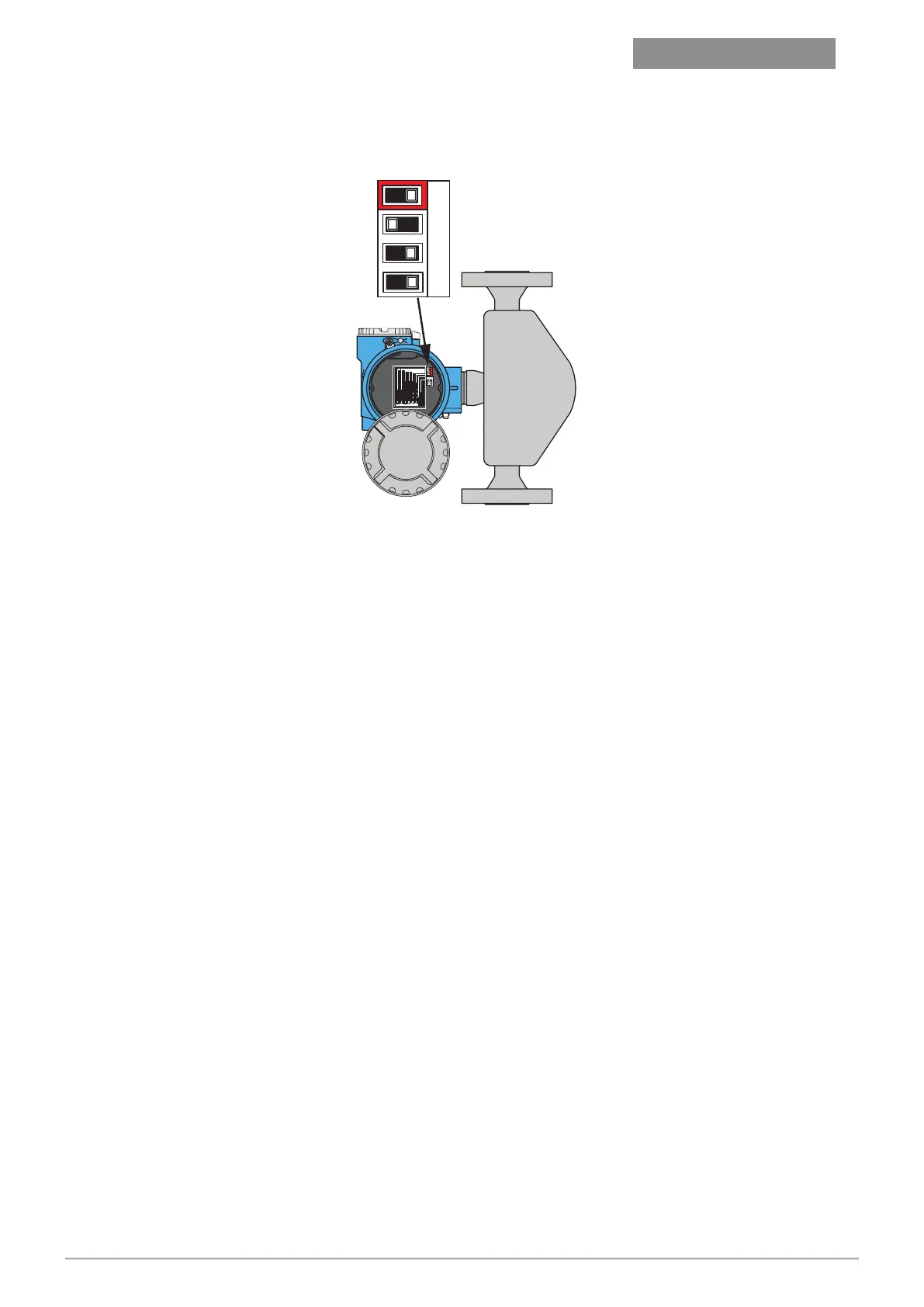
Service Connector
Status LED
= VolumeCorrection OFF
= VolumeCorrection ON
= Fact.Sett. All Parameter
= Fact.Sett. Com. Para.
= SecurityON
= SecurityOFF
Service Connector
Status LED
= VolumeCorrection OFF
=
VolumeCorrection ON
= Fact.Sett. All Parameter
=
Fact. Sett.Com. Para.
= SecurityON
=
Security OFF
3 41
2
3 4
1 2
ON OFF
5. When reset is complete, set factory reset switch (dip 3) to OFF and leave security
switch OFF (dip 1).
6. When a meter is reset, the pump display may show LPG COMMS ERROR, which can
be cleared by lifting any hose on that side.
7. Enter service mode.
Hold FILL for 3 seconds, enter password, press FILL to confirm.
8. Enter LPG menu.
Press 2 or 8 to scroll until LPG MENU is displayed, then FILL to enter.
9. (optional) Check that the security switch is off for the meter to be addressed.
• Press 2 or 8 to scroll until MTR SECU is displayed.
• Press 4 or 6 to scroll to FP1/FP2 as appropriate.
• Press FILL to query security switch status for FP1/FP2.
• Security switch state is displayed.
• Turn off security switch setting on the meter if required.
10. Set the LPG meter address.
• Press 2 or 8 to scroll until MTR SIDE is displayed.
• Press 4 or 6 to select to FP1/FP2 for the meter to be addressed.
• Press FILL to set address for selected side.
• “1 SET” or “2 SET” is displayed when successful. “RD ERROR” indicates the meter
is not connected or ready for addressing. “WR ERROR” indicates security switch
is ON.
• Press C to get back to FP selection.
Version 1.20


 To Next Page