INSTALLATION
38
PULSE Installaon, Commissioning and Servicing Manual - Revision 19
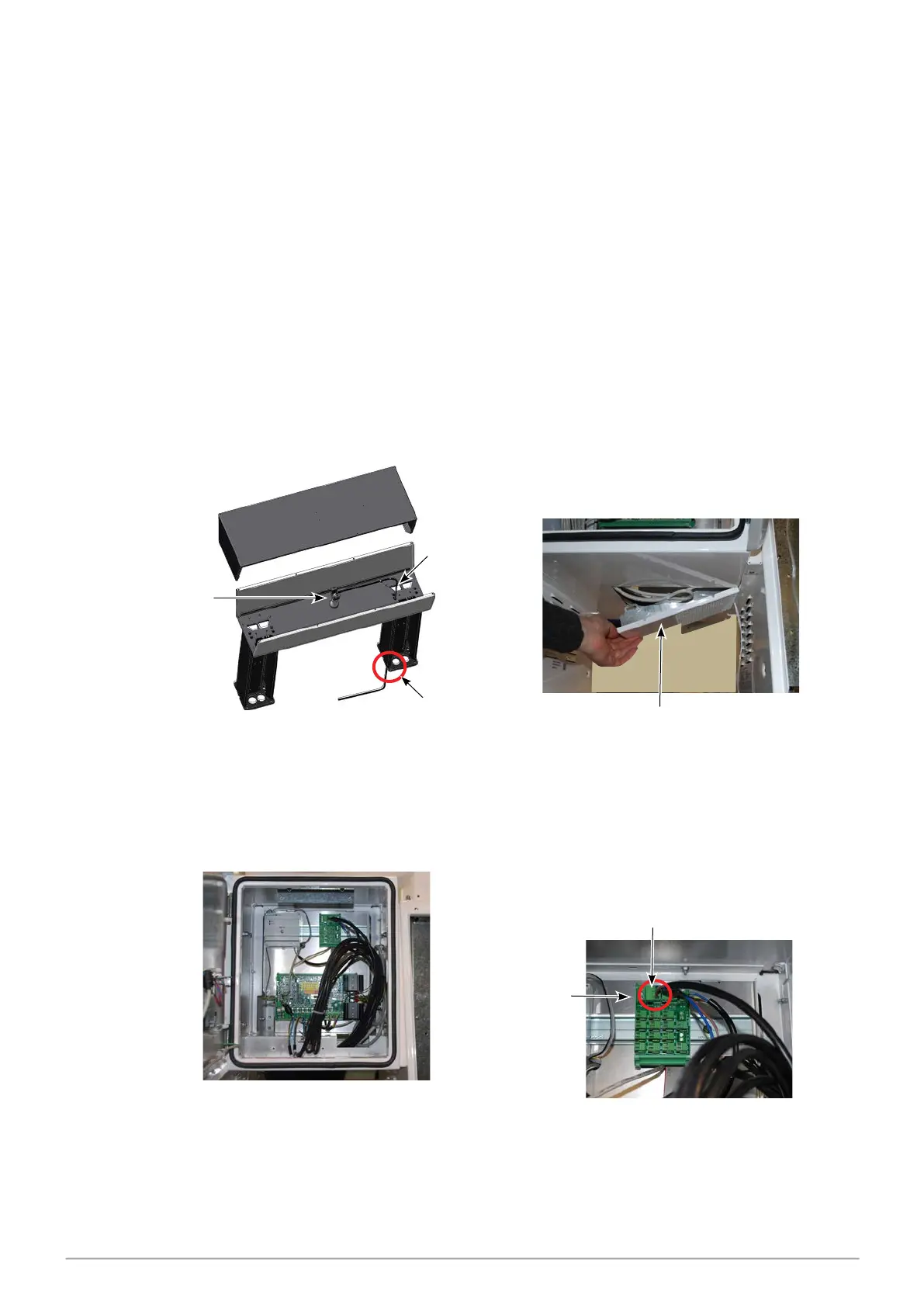
9.7 Connecting the light cable for the Illuminated Spreader
The CX/CS illuminated spreader includes a light and cable bracketed to the top inside
panel.
Providing power for this light requires the installer to connect the light cable to a fixed
mains output located inside the head.
Depending on the dispenser configuration the cable may be fitted to either the
motor drive board, integrated stack controller, or the power distribution board. A
phoenix connector is required and is supplied with the spreader.
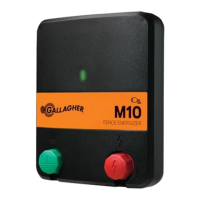
If the connection is to the power distribution board and the connection points are already
taken, the cable can be connected via the adjacent screw terminal as shown in the diagram
below.
Light cable
connection point
Light
cable
Light
bulb
Cable tray
View from the rear side
1. Locate the connecon end of the light
cable.
The light cable end should be protruding
from the column of the spreader.
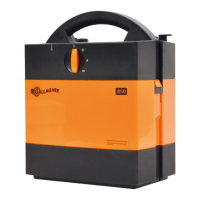
2. Once the spreader is ed, remove the
cable tray at the boom of the head and
pass the light cable through the cable tray
from the front.
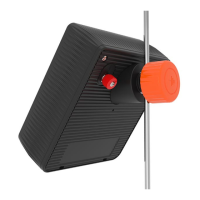
3. Guide the light cable through to the
rear side of the head.
4. Plug the light cable into a mains output
inside the head. This example uses a
power distribuon board
.
Adjacent
Screw
Terminal



 To Next Page