INSTALLATION
52
PULSE Installaon, Commissioning and Servicing Manual - Revision 19
7.8 LPG Meter Calibration - Version 1.20
1. Make a delivery through the calibration meter and record the uncompensated value.
If calibration is needed – follow these steps:
Do not repower or perform any other delivery between calibration delivery and
completing calibration process.
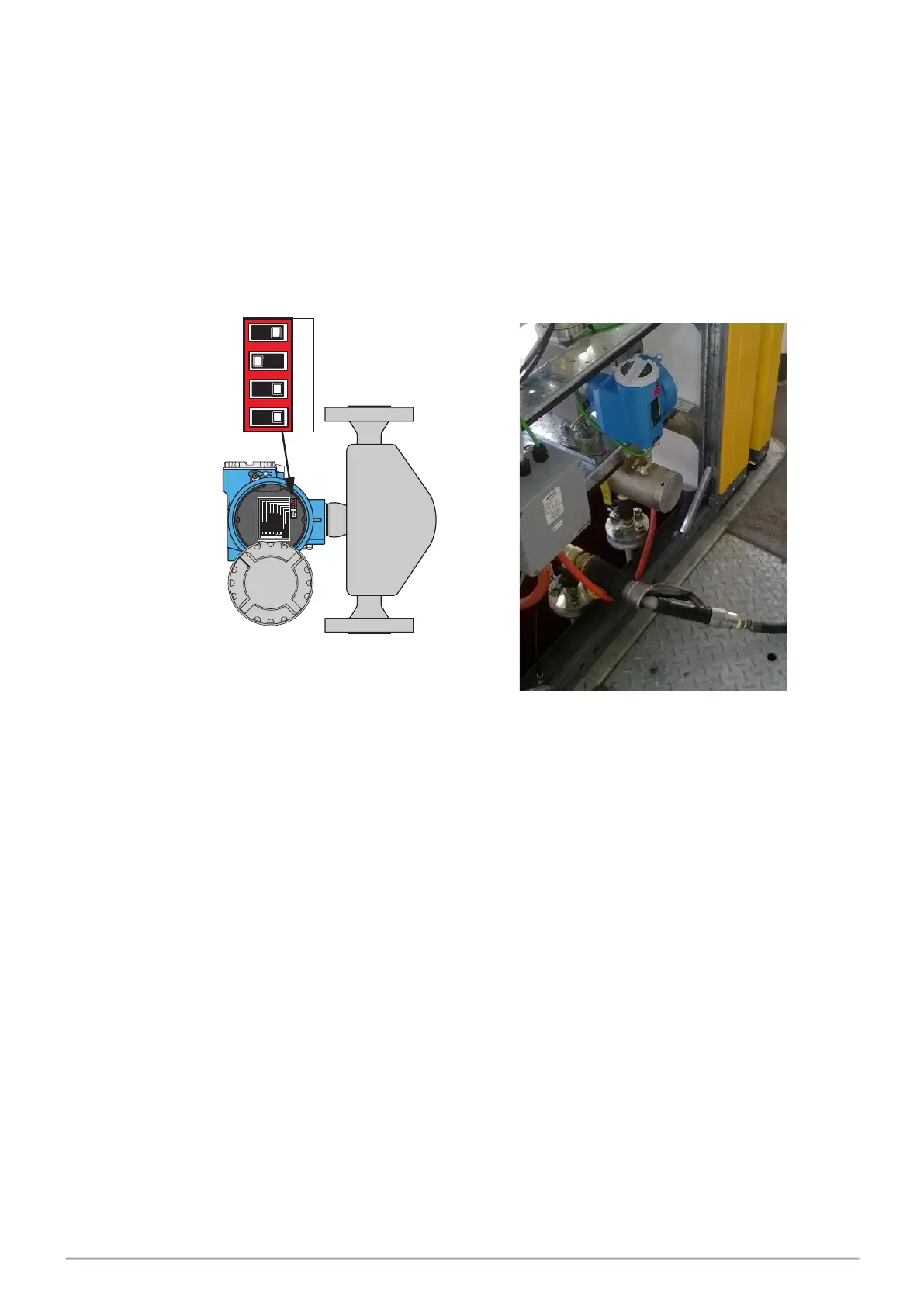
2. Set security switch 1. to OFF as shown below.
3. Enter Service Mode.
4. Go to LPG MENU – press FILL.
5. Go to MTR CAL – 6 for the correct fuelpoint, press FILL.
6. Enter the uncompensated calibration meter value with the keypad, press FILL and
wait.
7. The new calibration factor will show.
8. Hold C to exit Service Menu.
9. Set the meter security switch back to ON.
10. Fit the wire/lead tamper seals.
11. Repower the pump.
3 4
1 2
Service Connector
Status LED
= VolumeCorrection OFF
= VolumeCorrection ON
= Fact.Sett. All Parameter
= Fact.Sett. Com. Para.
= SecurityON
= SecurityOFF
Service Connector
Status LED
= VolumeCorrection OFF
=
VolumeCorrection ON
= Fact.Sett. All Parameter
=
Fact. Sett.Com. Para.
= SecurityON
=
Security OFF
3 41
2
3 41 2
ON OFF
Security Switch 1 OFF
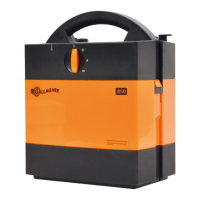
(the meter is on the opposite side to the hose)


 To Next Page