128
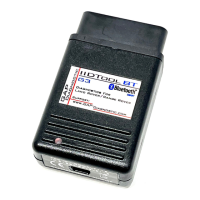
IIDTool
GAP Diagnostic 2023-09-12 All Rights Reserved
User Manual G3 units: Version 37, Firmware V4.0
EKA code retrieving (on request only)
Usage
This allows retrieving the EKA code from the 10AS unit. Once the special rmware is granted and on
the tool.
• Lock the doors to arm the car, the EKA will not be displayed if not armed.
• Program Keys (New Type) if the vehicle is tted with the BLACK 10AS ECU.
• OR Program Keys (Ol Type) if the vehicle is tted with the GREEN 10AS ECU.
This code can thus be used to disarm the vehicle using the following method:
1. Remove the remote control from the key ring and keep it well away from the starter switch while
entering the code.
2. Unlock the driver’s door using the key, open the door and enter the vehicle. Shut the driver’s
door.
3. Insert the key in the starter switch, turn and hold the key in position II until the alarm sounds.
Then, turn o the starter switch and open and close the driver’s door.
4. Turn the starter switch to position II the required number of times to enter the rst digit of the
code (if the digit is 4, turn the key to position II and then back to position 0 four times)
5. Open and close the driver’s door (this will enter the rst digit of the code).
6. Turn the starter switch to position II and back to 0 the required number of times to enter the
second digit of the code, then open and close the driver’s door.
7. Turn the starter switch to position II and back to 0 the required number of times to enter the third
digit of the code, then open and close the driver’s door.
8. Turn the starter switch to position II and back to 0 the required number of times to enter the
fourth digit of the code, then nally, open and close the driver’s door
one more time.


 To Next Page