164
IIDTool
GAP Diagnostic 2023-09-12 All Rights Reserved
User Manual G3 units: Version 37, Firmware V4.0
sages “Clearing Faults” and “Upload successful” will be then be shown,
CAUTION
As with any diagnostic tool, there is always a risk of failure when
re-ashing an ECU. It should only be done when the vehicle is
not needed immediately afterwards. Access to the Internet is hi-
ghly recommended in case support is needed. GAP Diagnostics
assumes no liability for damages or injuries incurred during or
resulting from the use of the IIDTool. Do not do anything to the
vehicle or disconnect the IIDTool until the rmware update is -
nished. Read the recovery instructions prior to updating an ECU.
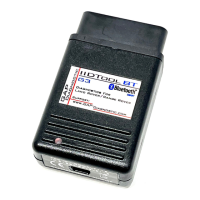
When using the IIDTool, it is considered good practice to connect a
power supply (Midtronic’s PSC-550, CTEK MXS 25 or equivalent) to
the battery. This will ensure that the battery voltage is sucient.
Note: Battery chargers are not suitable due to poor line regulation.
4.11.2 Risk scale
Each update is classied according to the following risk levels. In case of failure, consequences and
recovery methods are dened generally for all ECUs and specically when required.
Risk Level Consequences Recovery Method Precautions
High Vehicle unusable and more Follow instructions Mandatory
Moderate Vehicle unusable or limited Follow instructions May be required
Low Limited to the specic system Standard Re-ashing procedure May be required
Table 31. Denition, risk scale
Instructions
The list of ECUs that can be updated will be displayed. According to the ECU selected, more than one
option can be oered. Select the appropriate option for the vehicle and application.
When updating ECUs, the IIDTool will prompt you with instructions to follow:
For each step and message,
click on Continue or Cancel
• If the engine’s running, the following message will be displayed: “Engine running. Turn OFF
engine turn ignition ON” (position II). On L319-10, the IIDTool will shut the engine OFF and turn
ON the ignition.
• Read the warning messages,
• The IIDTool asks the user to conrm the requested task. For example “Upload suspension? Yes
No”
Post ashing Notes :
• Flashing an ECU will disable the one touch window operation. To enable the one touch ope-
ration, close the window completely, release the switch, pull up and hold the switch for one


 To Next Page