62 63
IIDTool
GAP Diagnostic 2023-09-12 All Rights Reserved
User Manual G3 units : Version 37, Firmware V4.0
2.9.4 Obtain an additional licence
Purpose
Allow the owner of the IIDTool to access the advanced functions on a vehicle other than his own (some
restrictions apply, see section 1.4.2).
Prerequisites
• Own an IIDTool BT under your name.*
• Having consulted or be aware of applicable restrictions to the use of additional licences (section
1.5)
• Having procured an additional licence from the GAP-Diagnostic website.
https://www.gap-diagnostic.com/shop/extra-vin-license-for-iidtool-and-eascontrol/
Note : It is possible to perform a “pre-activation”; when the IIDTool is in the presence of the vehicle
for which the additional licence was acquired, it can be unlocked by going to Menu-
>
IIDTool Cong-
>
Unlock Code.
Steps for pre-unlocking the tool: with mobile device connected to the Internet only
1- Connect the IIDTool on the OBDII connector
2- Navigate to Menu-
>
IIDTool Cong-
>Pre
Unlock Tool
3- Click on ‘‘In-App Activation’’
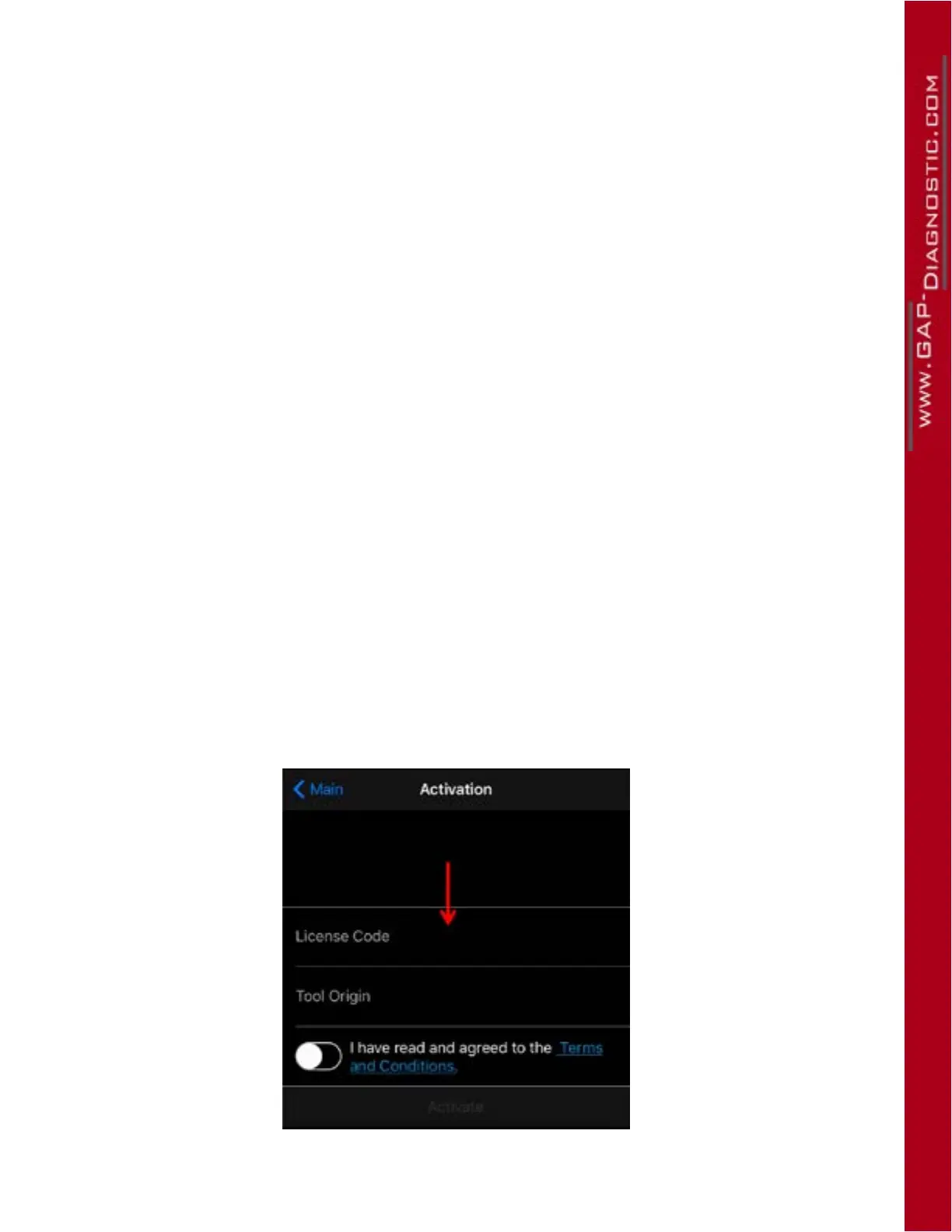
4- Enter the licence code (red arrow), select tool origin, read and agree to the terms and conditions
then click on activate.
For example;
https://youtu.be/bXfM5Dy7tMI
The tool is now pre-activated for another vehicle.
Figure 34. mobile device connected to the Internet. Steps for pre-unlocking the tool



 To Next Page