42
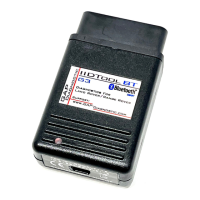
IIDTool
GAP Diagnostic 2023-09-12 All Rights Reserved
User Manual G3 units: Version 37, Firmware V4.0
2.5 Updating the IIDTool rmware
Purpose
Keep the IIDTool up to date.
Principle
Updates are made by reashing the rmware.
Note : The backed up data stored in memory will not be aected by the update.
Benets of updating the IIDTool
• Take advantage of bug xes (if any)
• Take advantage of operational improvements such as execution speed... and more
• New additions in the tool and application
Prerequisites
• Having access to a PC or Mac type personal computer connected to an Internet service
• Having registered on the website (section 2.2)
• Having completed installation of the updater software (section 2.3)
• Having completed the mobile App installation or update (section 2.4)
2.5.1 Steps for updating the IIDTool
1- Connect the tool to the USB port of the computer using the supplied USB cable
2- Start the updater software previously installed in the computer
3- Click on “ FIND DEVICE ” and wait until pairing of the tool with the updater software is comple-
ted. Once paired, the user information, vehicle information and current rmware version of the
tool will be displayed.
4- Select the desired version of the rmware in the right combo or radio box (if available)*.
5- Click on “ PROGRAM FIRMWARE ”. The evolution of each data le is observable in succession
on the progress bar.
6- A subsequent window will appear with “ACTION NEEDED”. The requested operation is syn-
chronization of the mobile App with the tool. Keep the tool connected to the computer to com-
plete this step described in section, section 2.6. Note: Performing synchronization immediately
after updating the tool or before rst usage will prevent prolong le loading when connected to
the vehicle due to a poor Internet connection.
* The normal version is named RELEASE.CUSTOM version is for updating ECUs when a fast lane is
purchased. SPECIAL is for other language or other.


 To Next Page