74 75
IIDTool
GAP Diagnostic 2023-09-12 All Rights Reserved
User Manual G3 units : Version 37, Firmware V4.0
4.1.3 General Access to Functions
Prerequisites :
• Own a IIDTool.
• Having access to the vehicle in a safe environment (section 2.7.1).
• Taking precautions to avoid battery drainage (section 2.7.2).
• Having connected the tool to the ODBII connector (section 2.8.2).
• Having access to a compatible mobile device (section 1.7.3) with the IIDControl App installed
(section 2.4.3) and synchronized with the IIDTool (section 2.6).
Steps to access Functions
1- Fulll the general and App prerequisites dened above.
2- Follow instructions found in section 2.8.3 to access the menu.
3- Select the desired function.
4.2 Version information
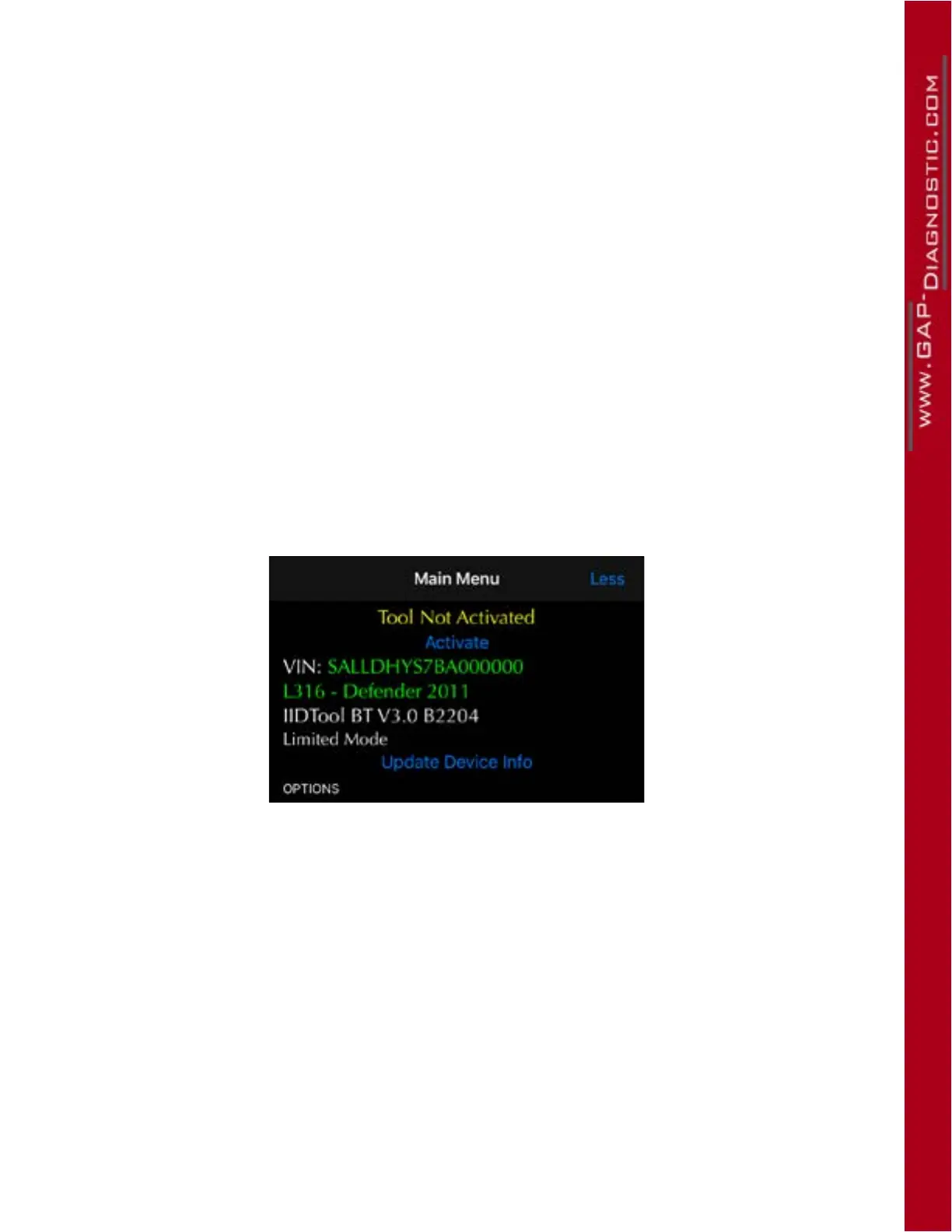
The IIDTool current version is displayed on the main menu screen (Build WXYZ). It is the build number
that counts. Build number 2204 in this example;
Figure 39. Version number, Build
Note : The IIDTool rmware version is also visible when pairing with the Updater Software (Updater
software installation, section 2.3 and Updating the IIDTool rmware section 2.5)



 To Next Page