82 83
IIDTool
GAP Diagnostic 2023-09-12 All Rights Reserved
User Manual G3 units : Version 37, Firmware V4.0
Access
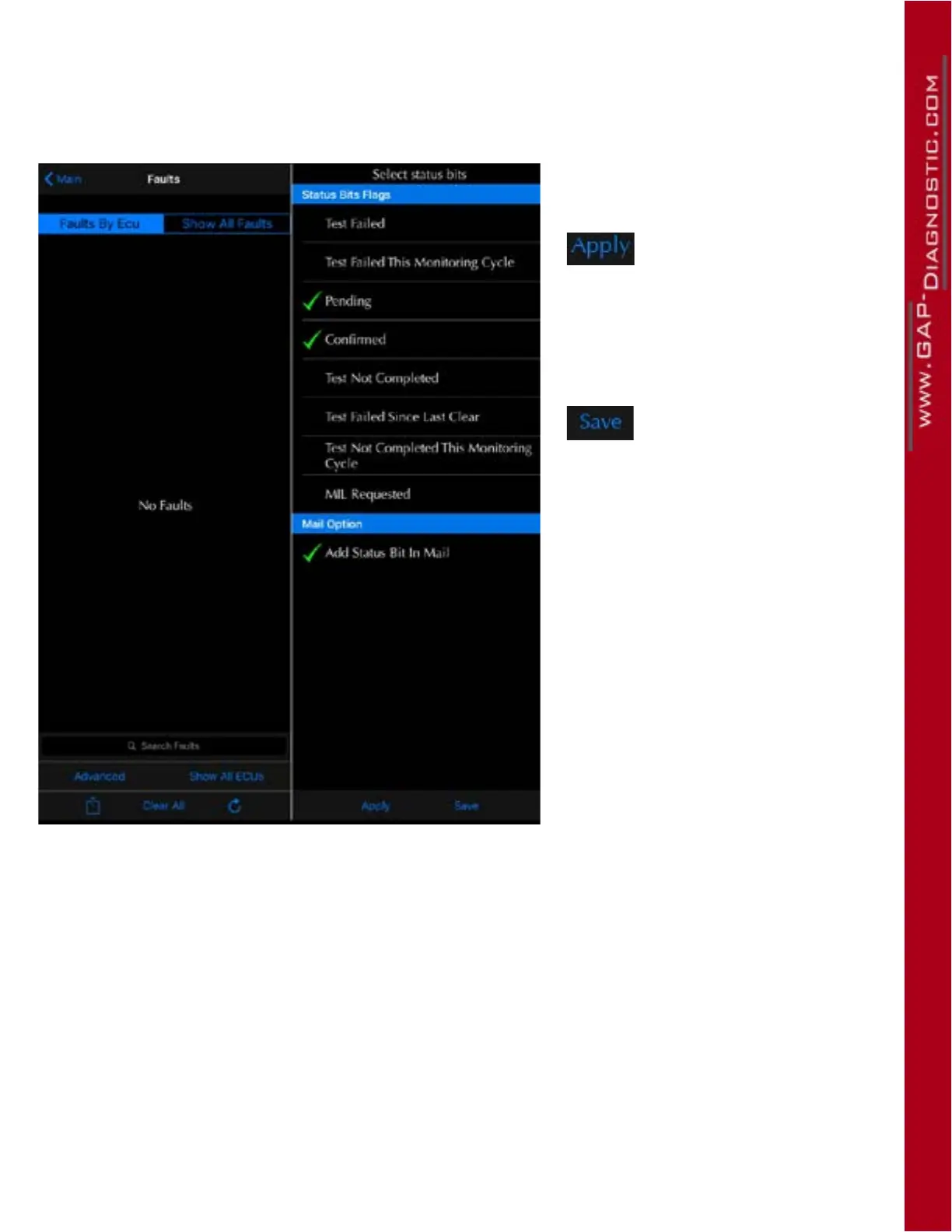
To access the “Advanced Read” function and change the lter in the app, it is necessary to select the
fault function rst. Then press Advanced and select the desired bits.
Figure 44. Advanced Read, bit selection
This button will apply bits
and mail preferences for the
current session. The faults
will be re-scanned automa-
tically.
This button will save bits
and mail preferences for
this and future sessions.
The faults will be re-scan-
ned automatically.
Example: If bit 0, Test Failed and Bit 2 Pending are selected, all faults that have at least one of these
bits equal to 1 will appear in the fault list.
Note : Jaguar Land Rover ocial diagnostic tool uses the following bits. Care should be taken as they
can create false positives;
• Mil Requested
• Test Failed Since Last Clear
• Conrm
• Pending
• Test Failed This Monitoring Cycle
• Test Failed



 To Next Page