160 161
IIDTool
GAP Diagnostic 2023-09-12 All Rights Reserved
User Manual G3 units : Version 37, Firmware V4.0
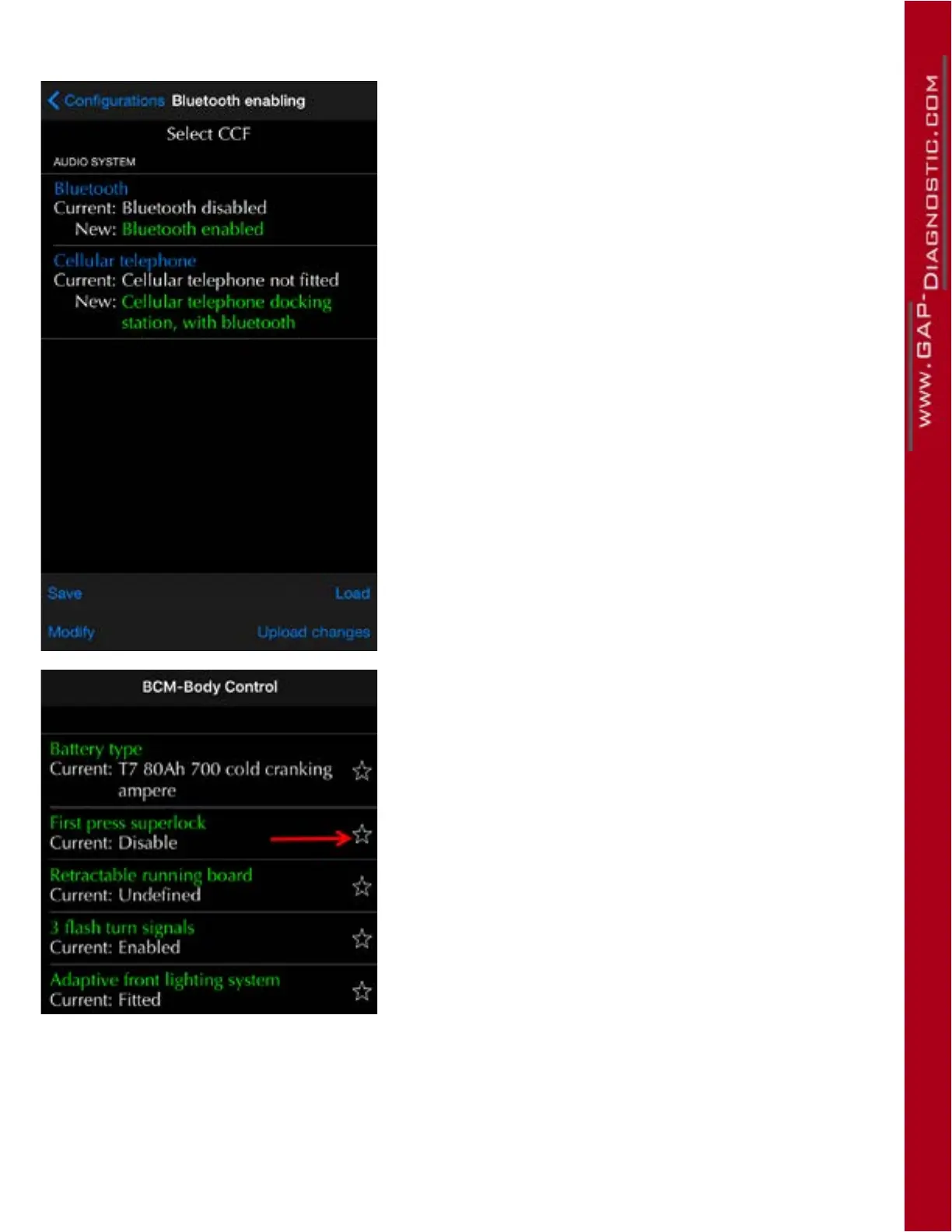
Figure 97. CCF : Dene conguration values in a favorite
list
After adding congurations, the user can set the preferred
or default value for each conguration.
The Save button is used to save the desired value of all
congurations in this list. In this example, the congura-
tions allowing for a Bluetooth activation L319-04 and L320-
05 are recorded.
The load button will recall those conguration values.
Figure 98. CCF : Favorite, Fast Add method. Adding a
conguration.
Click on the star when viewing a conguration



 To Next Page