36 37
IIDTool
GAP Diagnostic 2023-09-12 All Rights Reserved
User Manual G3 units : Version 37, Firmware V4.0
The individual prole created during registration will now be accessible via the tab “My Account” after
opening the session with “Login”.
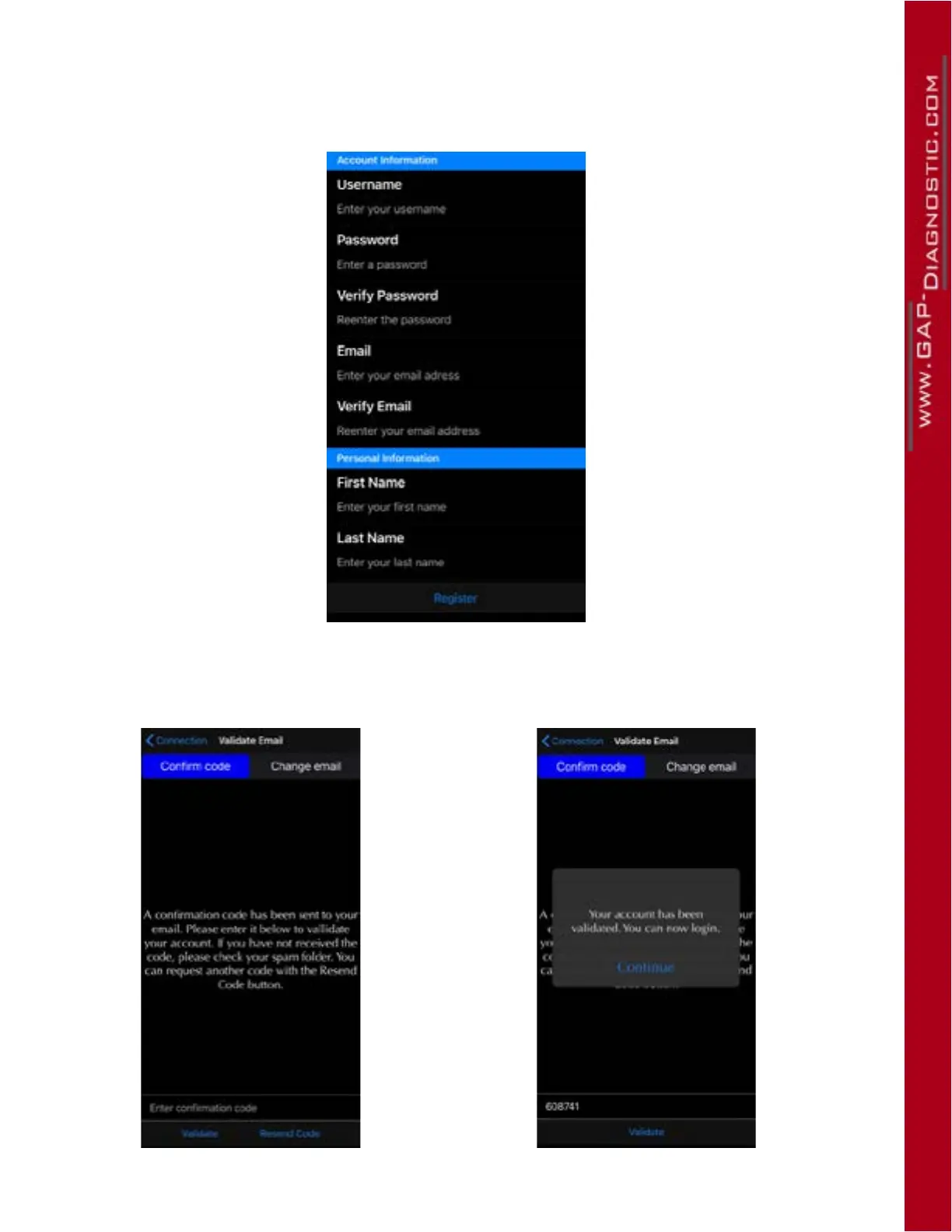
3- Fill up and submit the required elds and click on Register.
Figure 14. Register using the mobile App, 2
4- An email with a link to complete the registration will be sent. Check your spam box in case the
email would be treated like so. Enter the code and click on validate.
Figure 15. Register using the mobile App, 3



 To Next Page