40
IIDTool
GAP Diagnostic 2023-09-12 All Rights Reserved
User Manual G3 units: Version 37, Firmware V4.0
Software Installation Steps
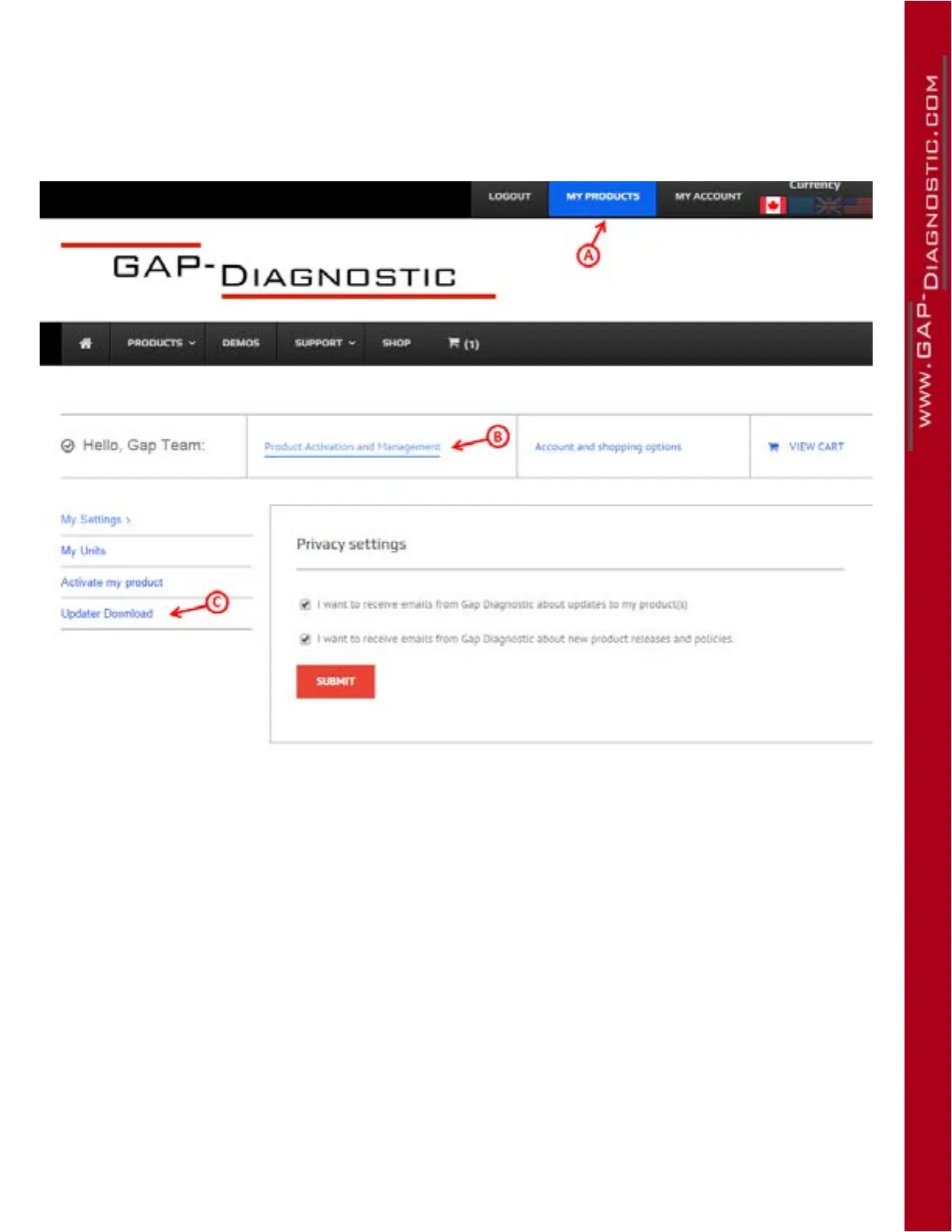
1- Log on to the website by “Login” and follow the instructions given by the following image (point
A, B and C) to download the software.
Figure 17. Updater software download
2- Once downloaded, click the le and follow instructions on screen to complete the installation.
Notes:
• For computers running Windows, except Windows 10 and up, click the right mouse button and
select “run as administrator”.
• For computers running Windows 10 and up, make sure to have administrator rights. Usage of
an administrator account is required. Search on Google for how to enable it.
• Some antivirus may block the updater installation. Disable it temporarily if in doubt.
• Make sure to allow the updater software Internet access in your rewall settings.
The update software’s named IIDTool Updater.



 To Next Page