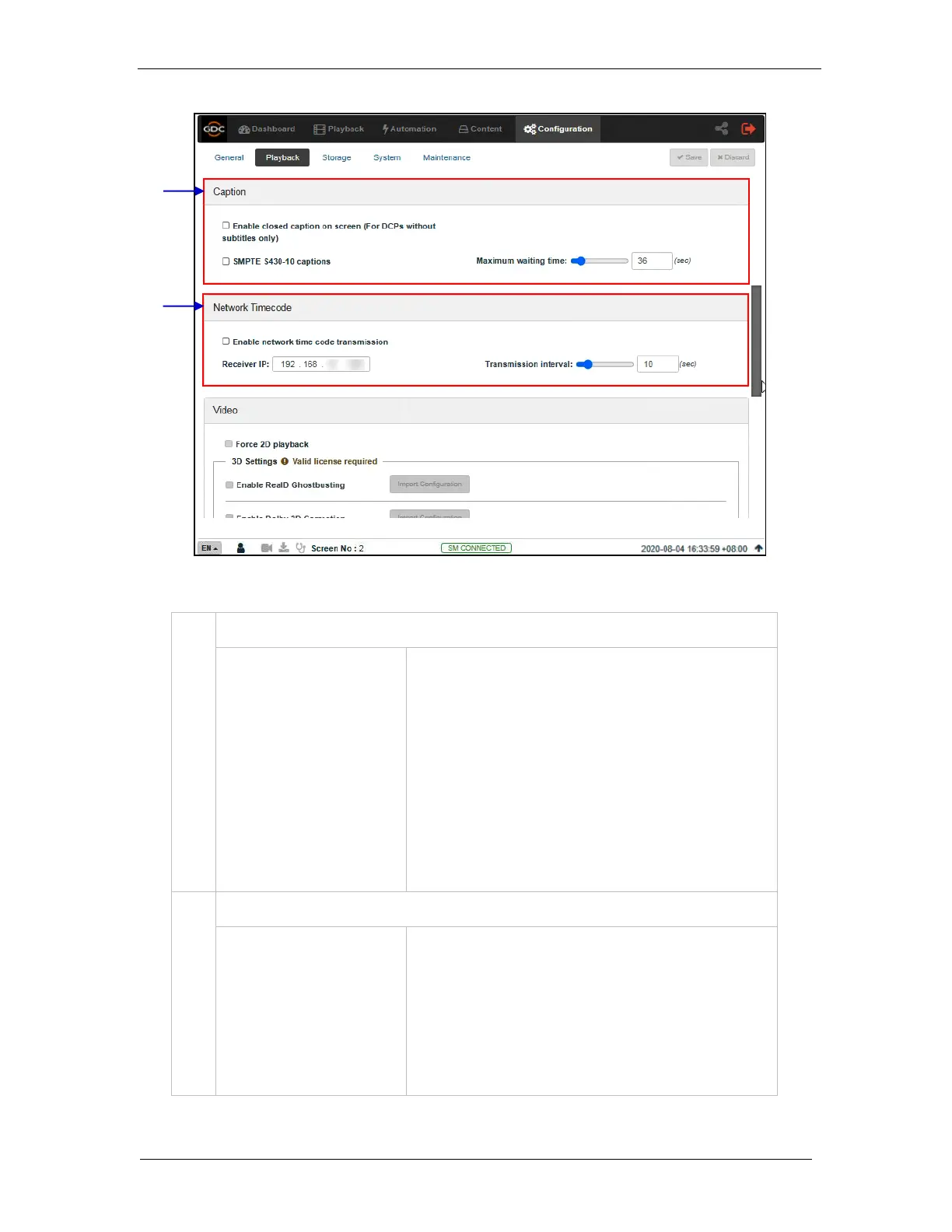
Enabling this option will allow closed captions to be displayed
on-screen, if the CPL doesn’t have any subtitles.
Enable communication with a closed caption device that
supports SMPTE 430-10 (USL CCE-100, etc.).
Note: The closed caption device must be configured to
connect to the SR-1000.
Specifies the maximum time (in sec.) to wait for the closed
caption device to report it is ready, before starting playback.
Activate transmission of playback time-code over UDP.
Enter the IP of the receiver of time-code transmission of UDP.
Indicates the time interval (in sec.) between transmissions.



 To Next Page