ZP3 Fire Control Panel Installation, Commissioning and Maintenance Manual
REV 11 (ISS 08/03/2010) Page 21
RS485 operates through up to 2000 metres of screened twisted-pair cable. Wiring can be daisy-
chained point-to-point, or can be teed-off or spurred for short distances i.e. <10 m. The total
length of cable in the network should not exceed 2000 metres. If the network distances are
greater than 2000 metres, use RS485 booster units, or fibre-optic cable. For more information
refer to the ZP3AB-NET1 Network Board Installation Sheet, document number 501-0485ZE-1-01.
The cable is specified in detail in the Ziton Wiring Guide (see Appendix A: ZP Wiring guide on page
99 for more details), but as a guideline it should be data quality cable with a conductor size of 0.5
mm
2
.
Software setup
To be functional, the optional ZP3AB-NET1 Network Board (Z-Port 2) must be configured in
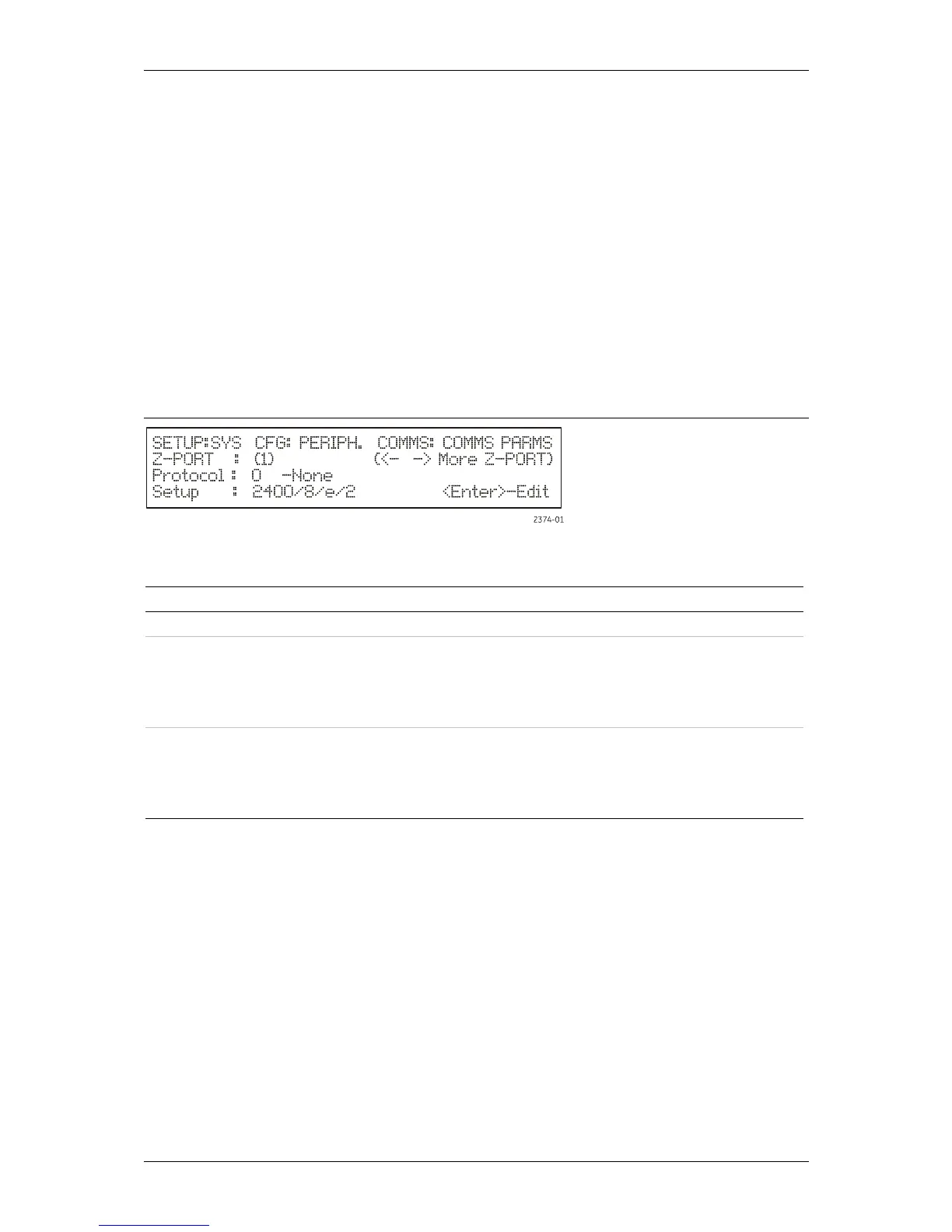
software. Access the communications parameters menu using the following path:
SETUP: SYSTEM CONFIGURATION: PERIPHERAL COMMS: COMMS PARAMETERS
The following screen is displayed (see Figure 16):
Figure 16: Setup – System Configuration Screen
To change a setting, move the bracket to the selected item, and press <Enter>.
The parameters are dependent on the program used. The following options are available:
Parameter Remarks
Z-PORT Enter Z-port number [2]
Protocol Enter the required protocol as follows:
[0] Used for standalone panels (not networked)
[9] Peer-to-Peer networking
[10] Peer-to-Peer V2
[17] Peer-to-Peer V3
Setup Enter the following setup data:
Baud rate = 19200
Data bits = 8
Parity = Even
Stop bits = 1



 To Next Page