ZP3 Fire Control Panel Installation, Commissioning and Maintenance Manual
Page 62 REV 11 (ISS 08/03/2010)
Setup menu
Menu operation
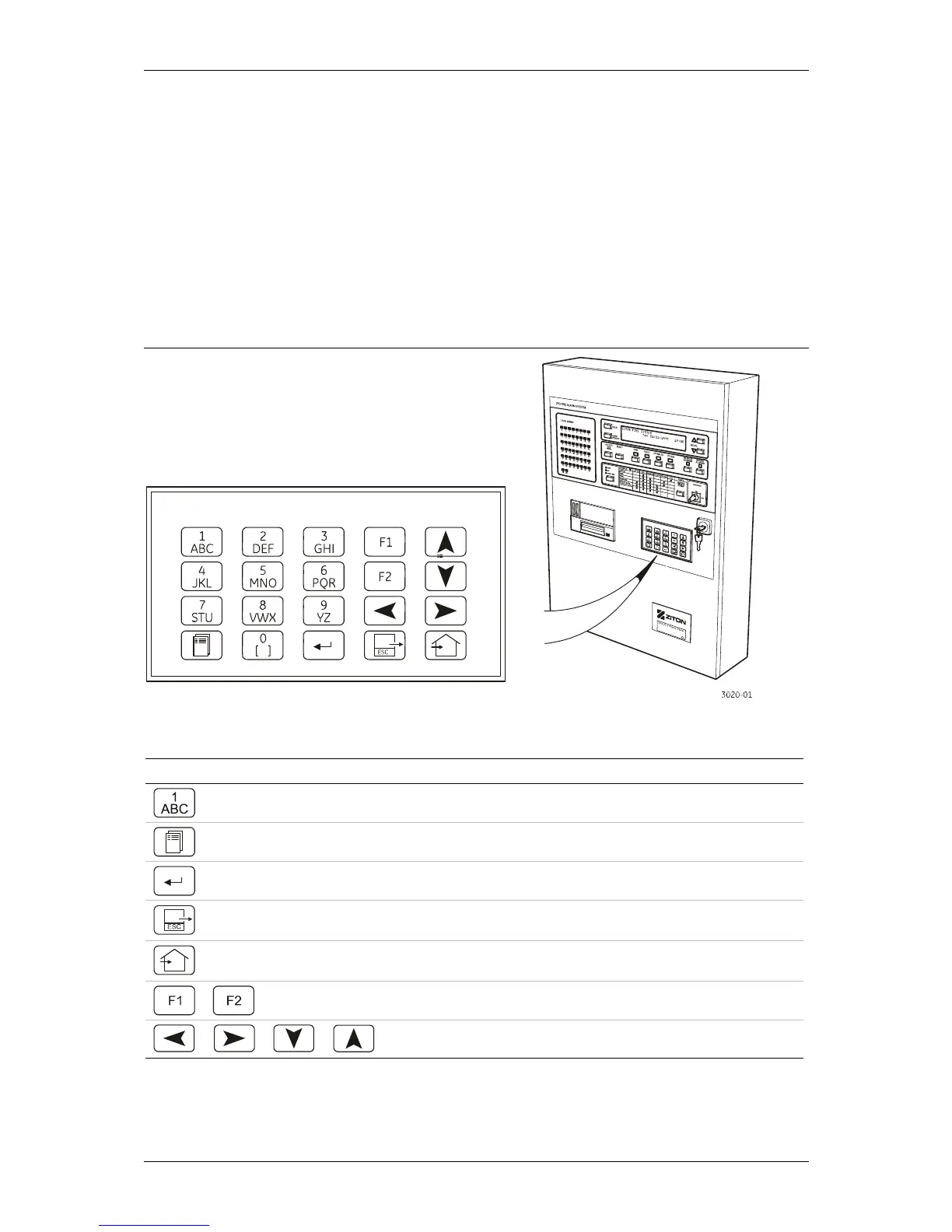
The panel programming functions are accessed via the setup menu, using the panel keypad.
Menu functions are displayed on the LCD screen.
The keypad
The keypad is illustrated in Figure 51 and described in Table 9.
Figure 51: Keypad
Table 9: Keypad description
Key/s Name Description
Numeric keys Used to enter the number sequences
MENU key Gives access to the Menu Screen
ENTER key Used to confirm data entry and save data
ESCAPE key Exits a function and returns to the previous
level
HOME key Exits all menu's and returns to the system
home screen
FUNCTION keys Used within certain menus
NAVIGATION keys Used to move up/down/left and right



 To Next Page