ZP3 Fire Control Panel Installation, Commissioning and Maintenance Manual
Page 64 REV 11 (ISS 08/03/2010)
Programming menus
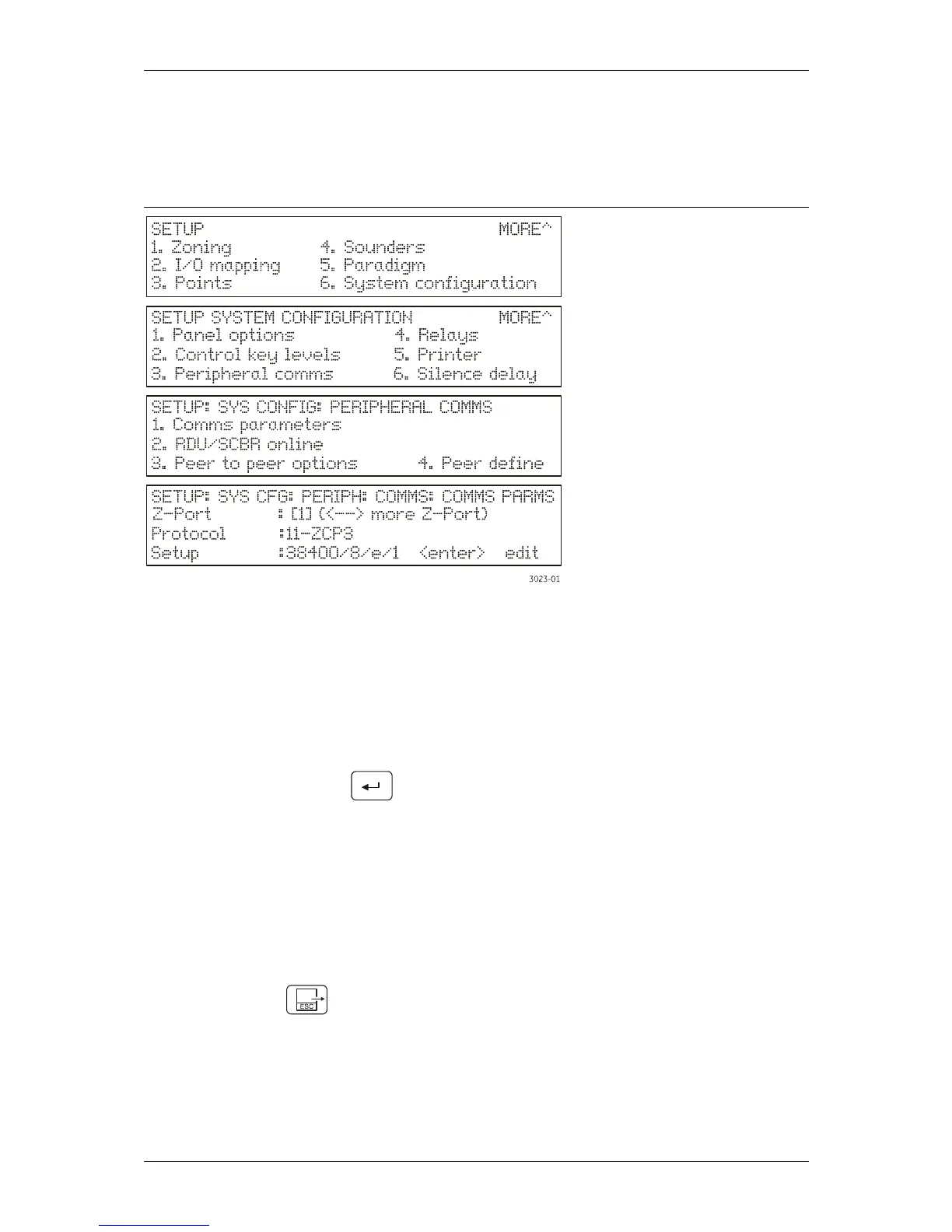
Some of the menus are used to set-up the configuration of devices or functions. Figure 54 shows
some example displays, using the communications port setting parameters.
Figure 54: Programming menu examples
1. Access the following menu: Setup/System configuration/Peripheral communications/Comm
parameters.
2. Select the required port to configure as follows:
Use the up/down arrows to move the [ ] brackets up or down and select Z-Port.
Use the left/right arrows to select the required Z-port (i.e. 1 or 2).
3. Select the required communications protocol as follows:
Use the up/down arrows to move the [ ] brackets up or down and select Protocol.
Press the <Enter> key (
). A list of available protocols is displayed.
Select the required protocol using the up/down arrows, and press the <Enter> key.
4. Select the required communications protocol parameters as follows:
Use the up/down arrows to move the [ ] brackets up or down and select Setup.
Press the <Enter> key. A list of available parameters is presented.
Use the left/right arrows to move the [ ] brackets to each parameter and press the
<Enter> key.
Select the required parameter using the up/down arrows, and press the <Enter> key.
Select [Done] after setting the required parameters, and press the <Enter> key.
5. Press <Esc> key (
), when complete to save the programming.



 To Next Page