page | 122
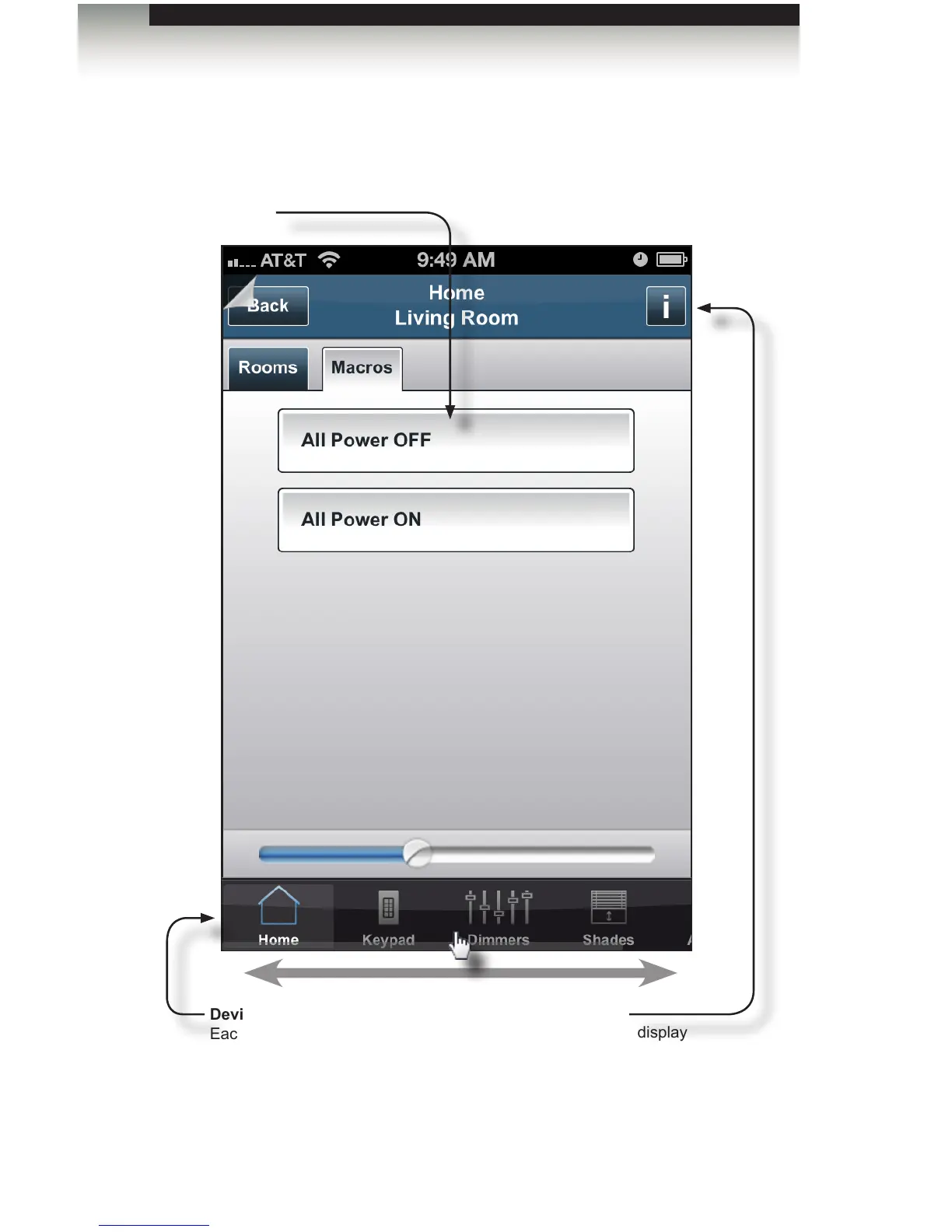
Macros tab
Macros
Tap to execute the desired
macro.
Integrator Info
Tap this button to display
the Integrator Info screen.
See Integrator Info for more
information on using this feature.
The GAVA User Interface
Home Screen
Device Slider Panel
Each device that is added to this
room will appear in this area of the
GUI. The Device Panel will scroll
side-to-side if more than three
devices have been added.



 To Next Page