page | 149
Working with Templates
Templates are useful when you want to ensure that similar commands for different product
models have identical Command Names. This will simplify the process of programming
your control system, and allow you to replace one disc player, for example, with another
model, without having to change the control system programming.
Gefen’s GAVA Control System requires that IR commands have specic name conventions
that are matched to the GAVA User Interface buttons, so Templates provide an easy way to
ensure that new devices have the proper names.
Using a Template also allows you to just push buttons on your IR remote as prompted,
without having to simultaneously enter names and navigate the screen on your computer.
PACS comes with several pre-congured templates for the Gefen GAVA control system,
which are needed to build a GAVA Library. These correspond to the different classes of
IR-controlled devices:
Template class Description
avr Audio / Video Receiver or Amplier
display Display, TV, Projector, or Monitor
disc Disc player (Blu-ray, DVD, CD, Music Server)
stb Set-Top Box (Cable or Satellite Receiver)
Learning a New Device
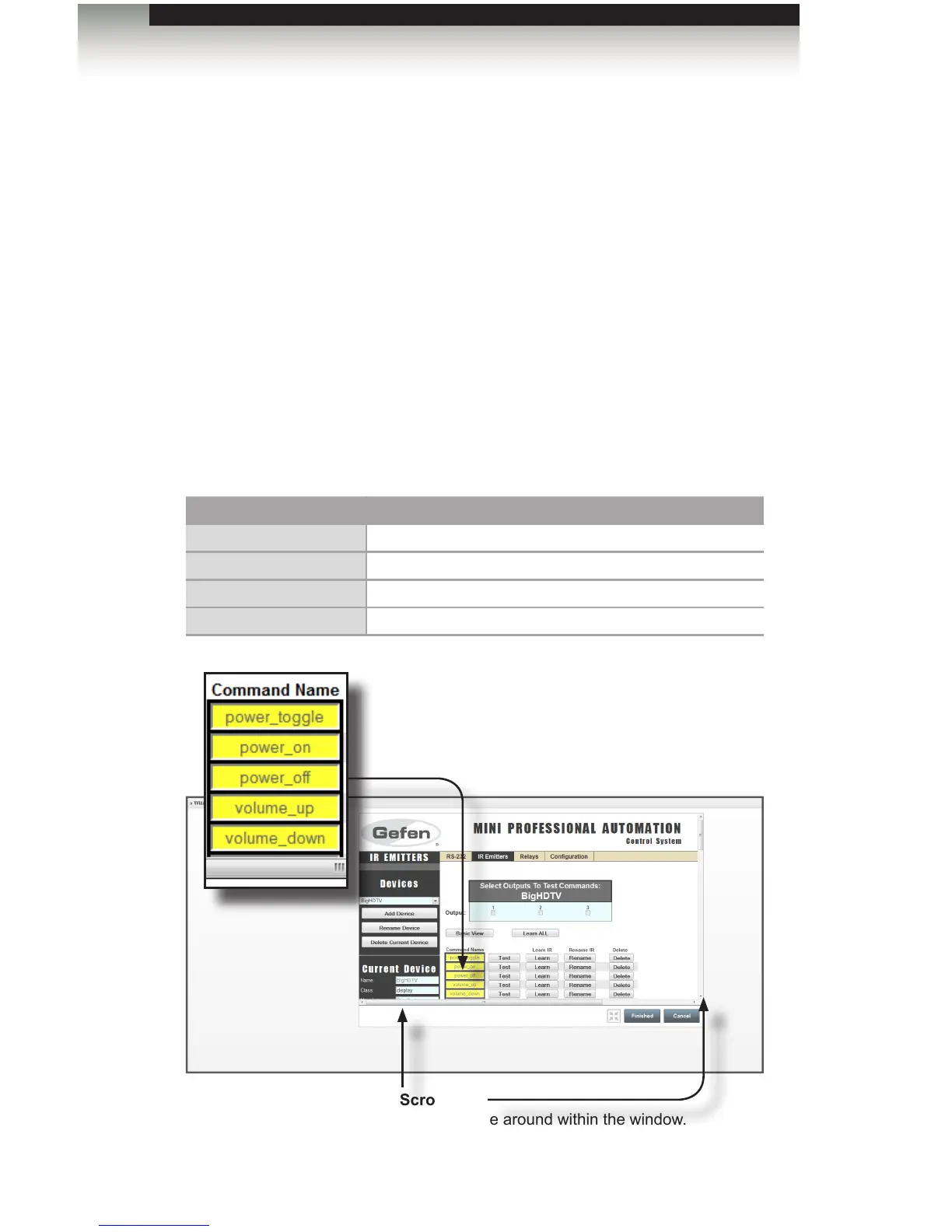
Command Name
Unlearned commands are highlighted
in yellow. Once a command is learned
the command will be highlighted in
green.
Scroll bars
Used to move around within the window.
Appendix



 To Next Page