page | 88
Using the GAVA Wizard
Macros are used to assign a sequence of events to a single function key. An example
might be the following: 1) Turn on the TV. 2) Dim the lights by 80%. 3) Open the curtains.
4) Start the projector (or playback device). Although each of these events can be
performed through separate buttons on a remote control, assigning these events to single
button is much more convenient. Macros can be used on Macro pages, on Function keys,
or within Events.
Commands
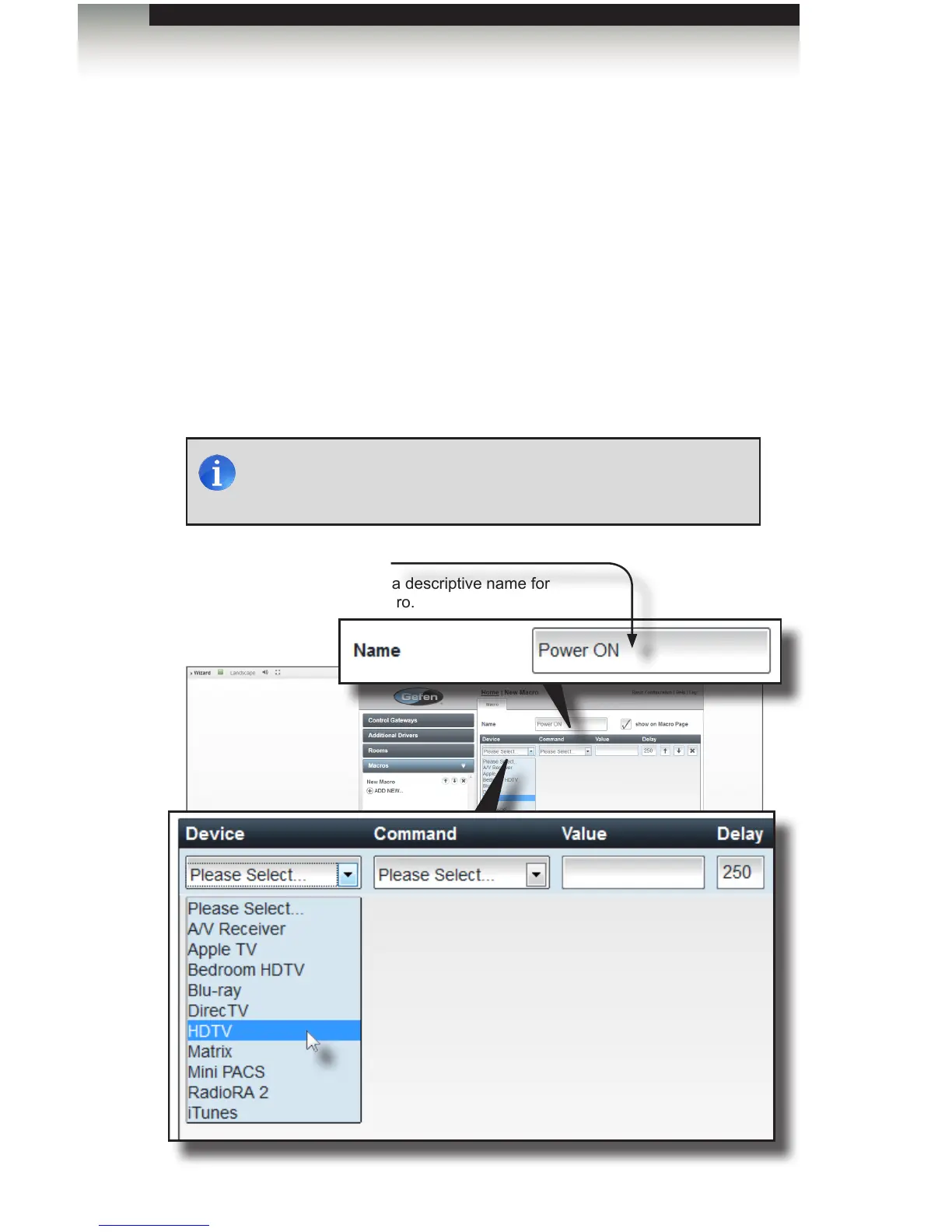
1. From the Home screen, click the Macros tab on the left side of the screen.
2. Click ADD NEW...
3. Type a descriptive name for the macro in the Name eld. In the following example,
we will create a macro for “Power ON” which will power-on all our devices.
Creating Macros
Name
Create a descriptive name for
the macro.
NOTE: All names used within the GAVA system must be unique.
Make sure to choose a name that does not duplicate another device
or function.



 To Next Page