page | 40
Your lighting system may contain many devices that you don’t need to access with GAVA.
You may choose to add only the elements that you actually want to add to the GAVA
interface. In a later step, you can decide which elements appear in each Room, and in the
order in which they appear.
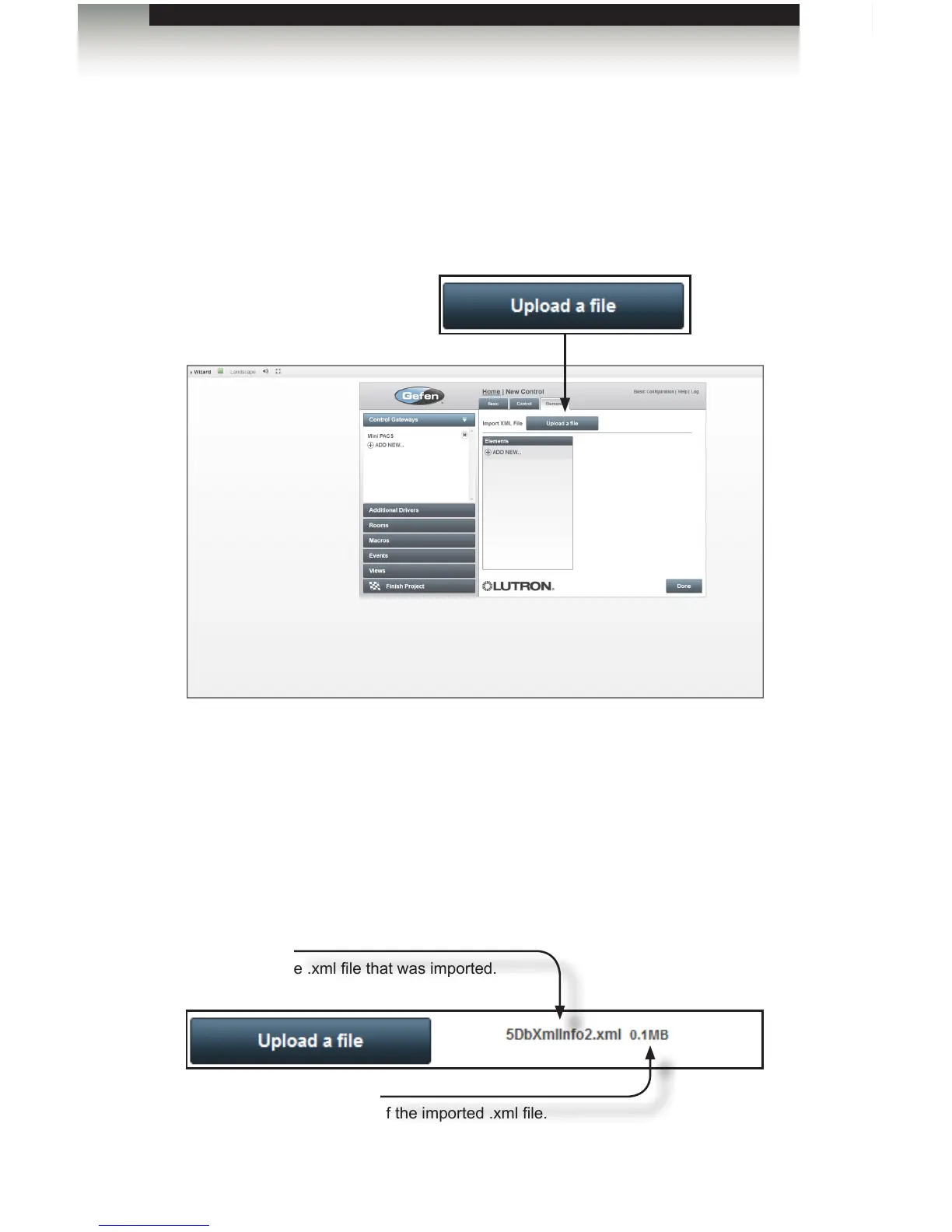
1. Under the Elements tab, click the Upload a le button.
2. Locate the device.xml le on the computer (e.g. 5DbXmlInfo2.xml).
See Adding a Lutron Lighting Control System for information on extracting the XML
from the Lutron software.
3. Select the .xml le from the File Upload dialog and click the Open button.
Once the .xml le has been imported, the lename and le size will appear next to
the Upload a le button:
File size
The size of the imported .xml le.
XML lename
The name of the .xml le that was imported.
Using the GAVA Wizard
Adding Elements



 To Next Page