page | 41
Adding Elements
Using the GAVA Wizard
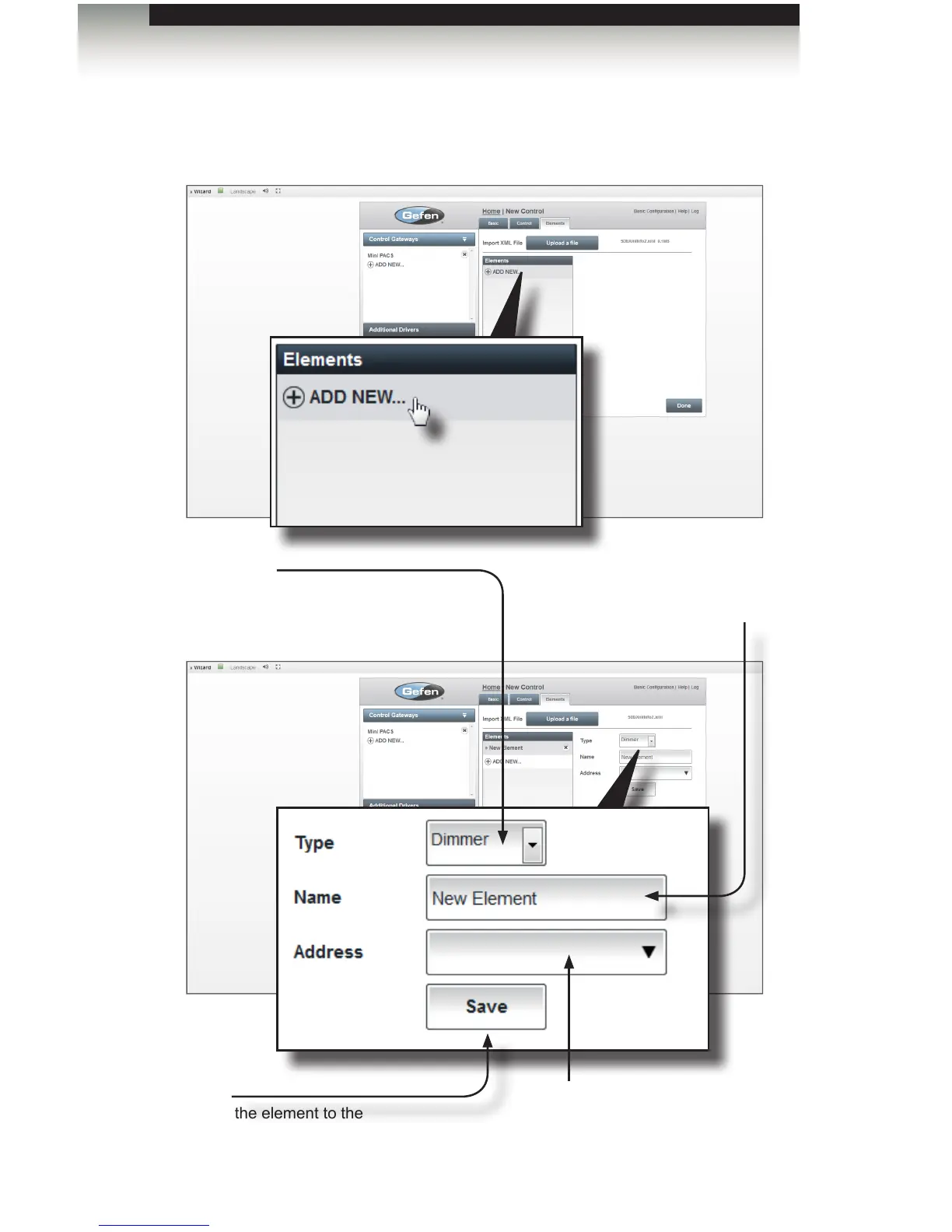
4. Click ADD NEW... to add an element from the programmed device list to the GAVA
Wizard menu. Add all of the elements that will be used in the system here.
Elements will be assigned to specic rooms later in the Rooms menu.
Type
Select the type of control from the
drop-down list. Options: Blind,
Dimmer, Keypad.
Address
The address of the element
(from the XML le).
Name
Enter a description
for the element.
Save
Saves the element to the
element list.



 To Next Page