page | 30
Adding a PACS or Mini PACS
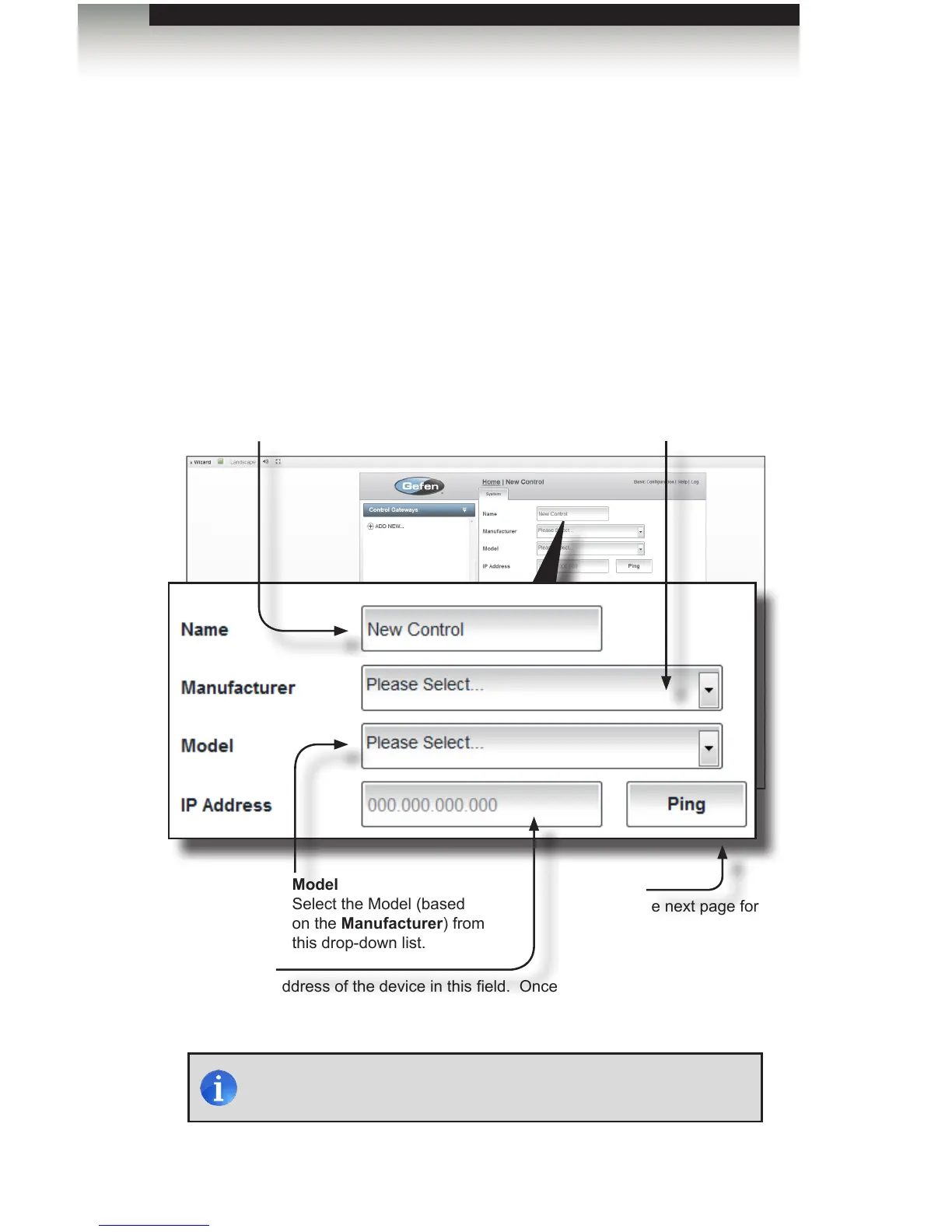
1. Under the Gateway tab, select the Control gateway (PACS & miniPACS) icon.
The System tab will be displayed.
2. Type the name of the control device in the Name eld.
3. Select the Manufacturer and Model using the drop-down list boxes.
4. Type the IP address of the device in the IP Address eld. Make sure that
the device (control gateway) is connected to your network.
NOTE: Lighting controls are also added here. See Adding a Lutron
Lighting Control System for instructions on adding lighting controls.
Name
Type the name of the device
in this eld. Every name in
the system must be unique.
Manufacturer
Select the device
Manufacturer from this
drop-down list.
Model
Select the Model (based
on the Manufacturer) from
this drop-down list.
IP Address
Type the IP address of the device in this eld. Once
the IP address is entered, the GAVA will automatically
“ping” the added device (see the Ping button).
Ping
See the next page for
information on the Ping
button.
Using the GAVA Wizard
Adding Control Gateways



 To Next Page