page | 67
Adding a Source
Adding a Disc Player
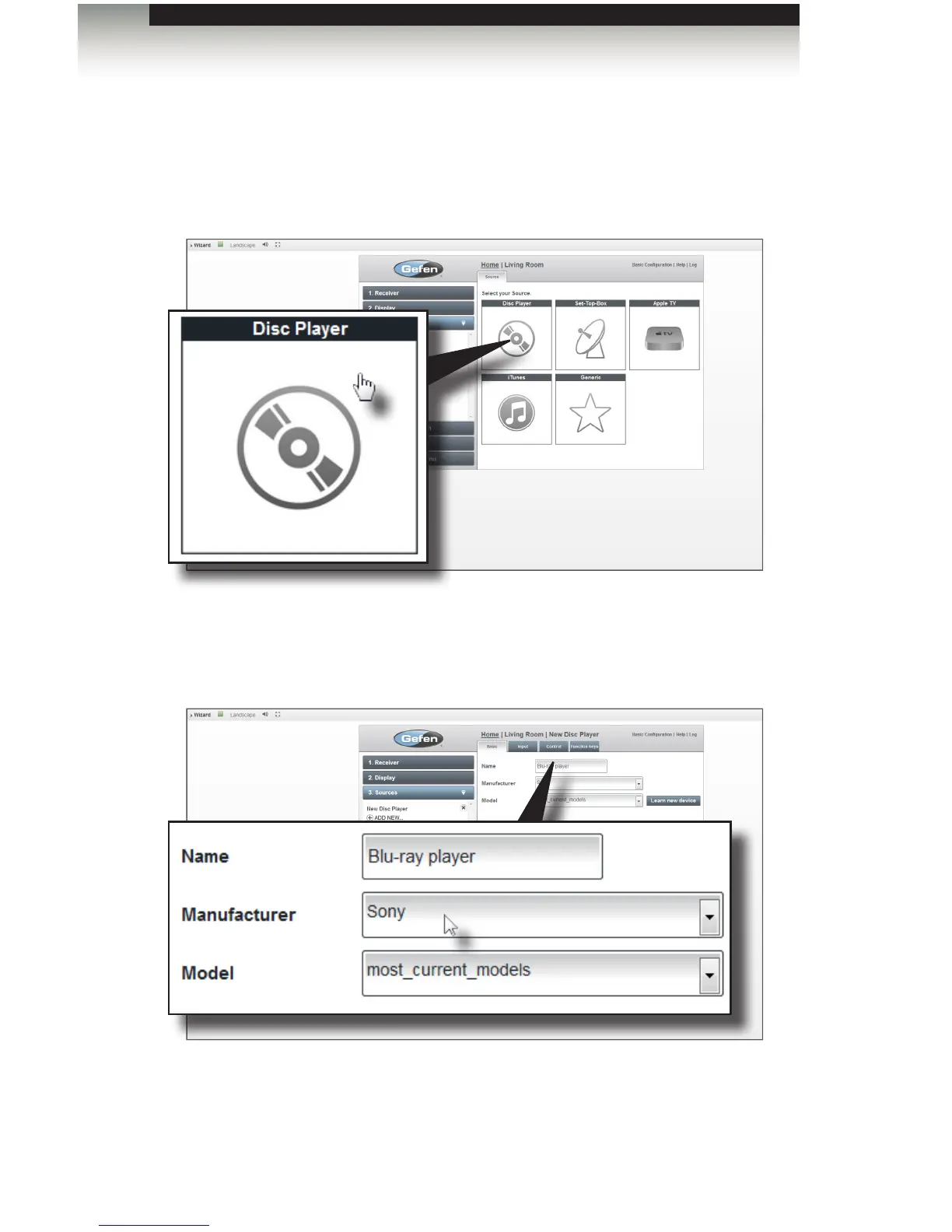
1. Click the Disc Player icon.
2. Enter a description of the source device in the Name eld. In the example below,
we have added the name “player” to the device name. This is because the name
“Blu-ray” is already used by the RadioRA 2 control gateway. Each device name
must be unique.
3. Use the drop-down lists to select the Manufacturer and Model of the source device.
4. Click the Next button in the lower-right corner of the screen to continue to the Input
tab.
Adding Rooms
Using the GAVA Wizard



 To Next Page