page | 105
Using the GAVA Wizard
After all devices have been added to the GAVA system and the Views have been set up,
the nal step is to generate the GUI.
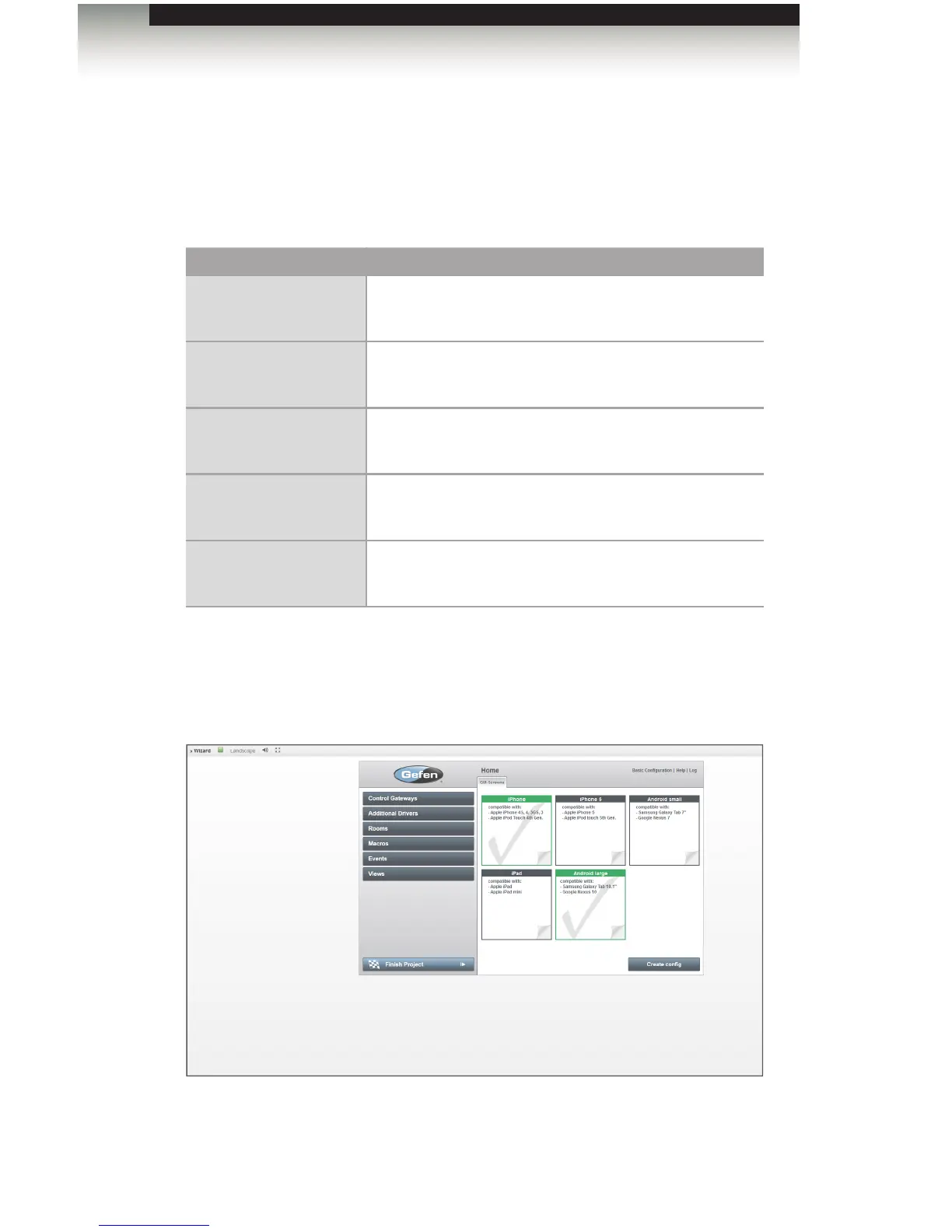
1. Click the Finish Project tab, on the left side of the screen. The GUI-Screens tab will
display the different types of GUI that can be generated.
Device Compatibility
iPhone • Apple iPhone 4S, 4, 3GS, 3
• Apple iPod touch (4th generation)
iPhone 5 • Apple iPhone 5, 4, 3GS, 3
• Apple iPod touch (5th generation)
iPad • Apple iPad
• Apple iPad mini
Android (small) • Samsung Galaxy tablet 7”
• Google Nexus 7
Android (large) • Samsung Galaxy tablet 10.1”
• Google Nexus 10
2. Select the GUI screen(s) to be generated by clicking them. The selected GUI screens
will be highlighted in green and have a check mark within them. As an example, we
will select the iPhone and Android large screens, as shown below.
Generating the GUI



 To Next Page