page | 165
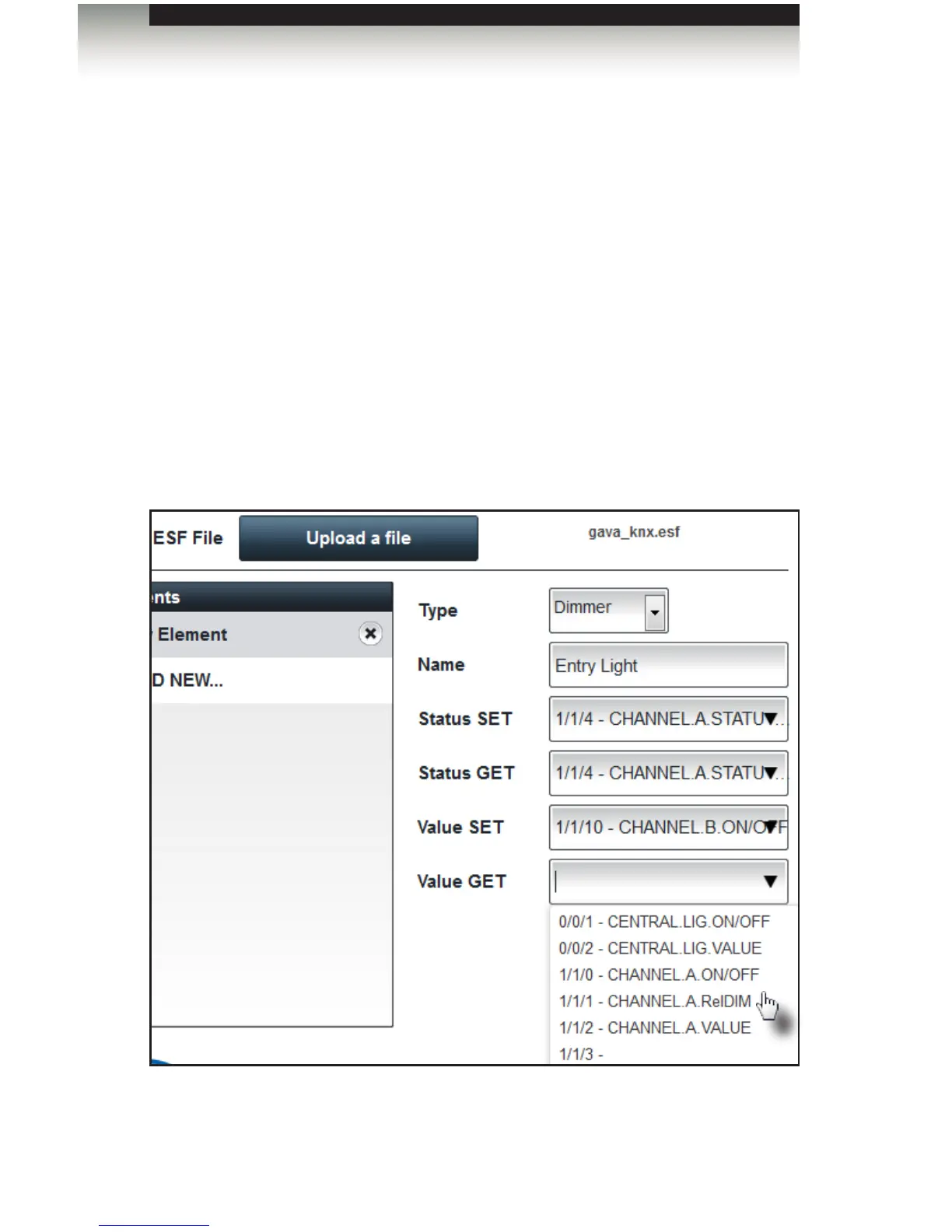
Adding a Dimmer
1. Select Dimmer from the Type drop-down list.
2. Provide a name for this control in the Name eld.
3. Select the Status SET state from the drop-down list. This setting is used for dedicat-
ed ON and OFF switching when using the buttons left and right from the slider.
4. Select the Status GET state from the drop-down list. This setting is used for dedi-
cated ON and OFF feedback. If no feedback is available, then the GET value
will be the same as the SET value.
5. Select the Value SET state from the drop-down list. This setting is used for dedicated
value dimming when using the slider control, itself.
6. Select the Value GET state from the drop-down list. This setting is used for dedicated
dimmer value feedback. If no feedback is available, then the GET value is the same
as the SET value.
7. After all the necessary information has been added, click the Save button.
Using the GAVA with a KNX Automation System
Appendix



 To Next Page