page | 86
Using the GAVA Wizard
Additional Drivers
If a device is not a source, display, receiver, or matrix switcher, then it should be added
under the Additional Drivers tab. When these devices are added to the GAVA system,
they will not appear in the slider bar at the bottom of the GAVA Graphic User Interface.
Instead, these devices are controlled using Macros or Events. Examples include power
management devices or video scalers.
Adding a “Phantom” device
1. The rst step is to add the device to the GAVA system. From the Home screen,
click the Additional Drivers tab on the left side of the screen.
2. Click the Phantom Equipment icon in the Gateway tab.
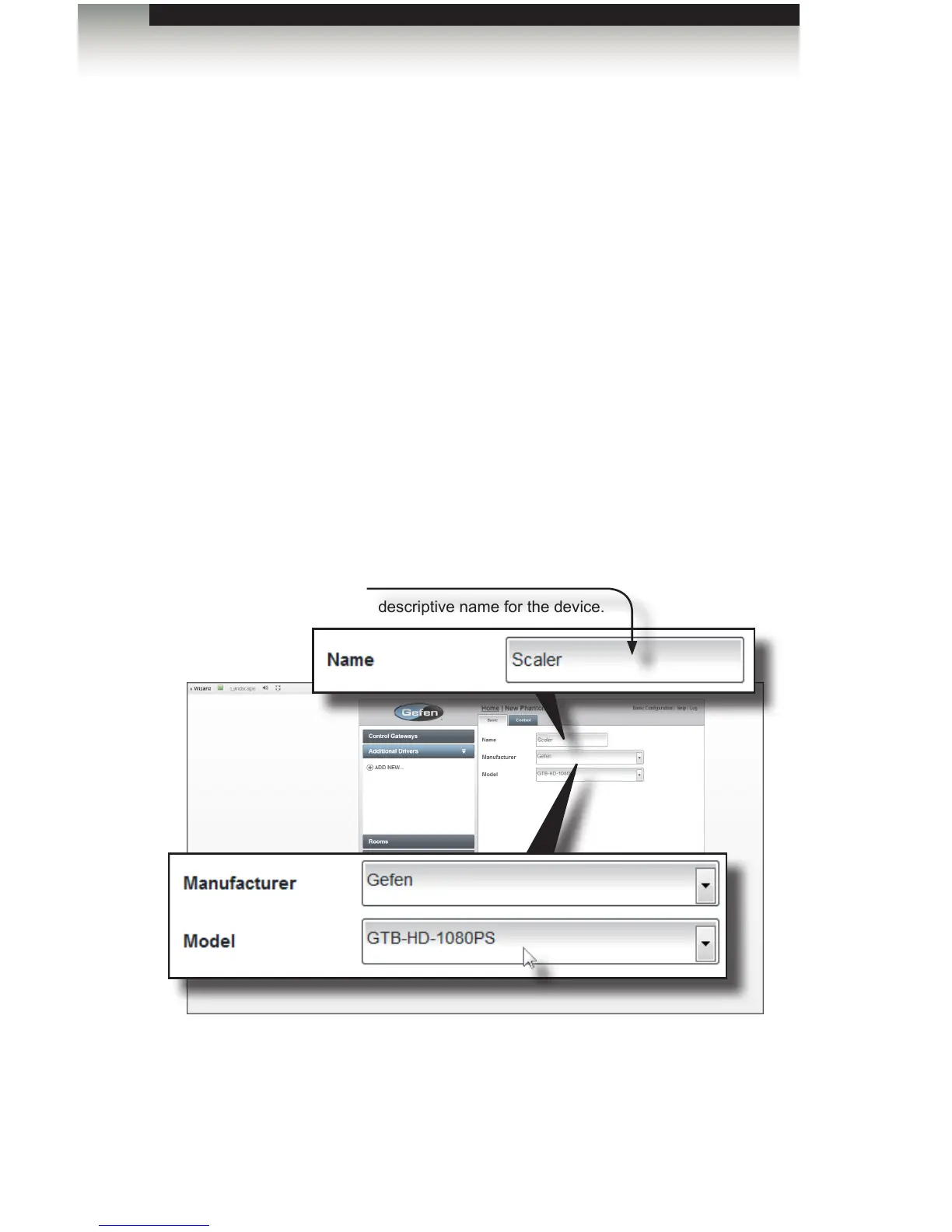
3. Type a descriptive name for the driver in the Name eld. In the following example,
we will add the Gefen High Denition 1080p Scaler.
4. Select Gefen from the Manufacturer drop-down list.
5. Select GTB-HD-1080PS from the Model drop-down list.
Name
Create a descriptive name for the device.



 To Next Page