page | 24
Basic Conguration
Using the GAVA Wizard
Support VPN
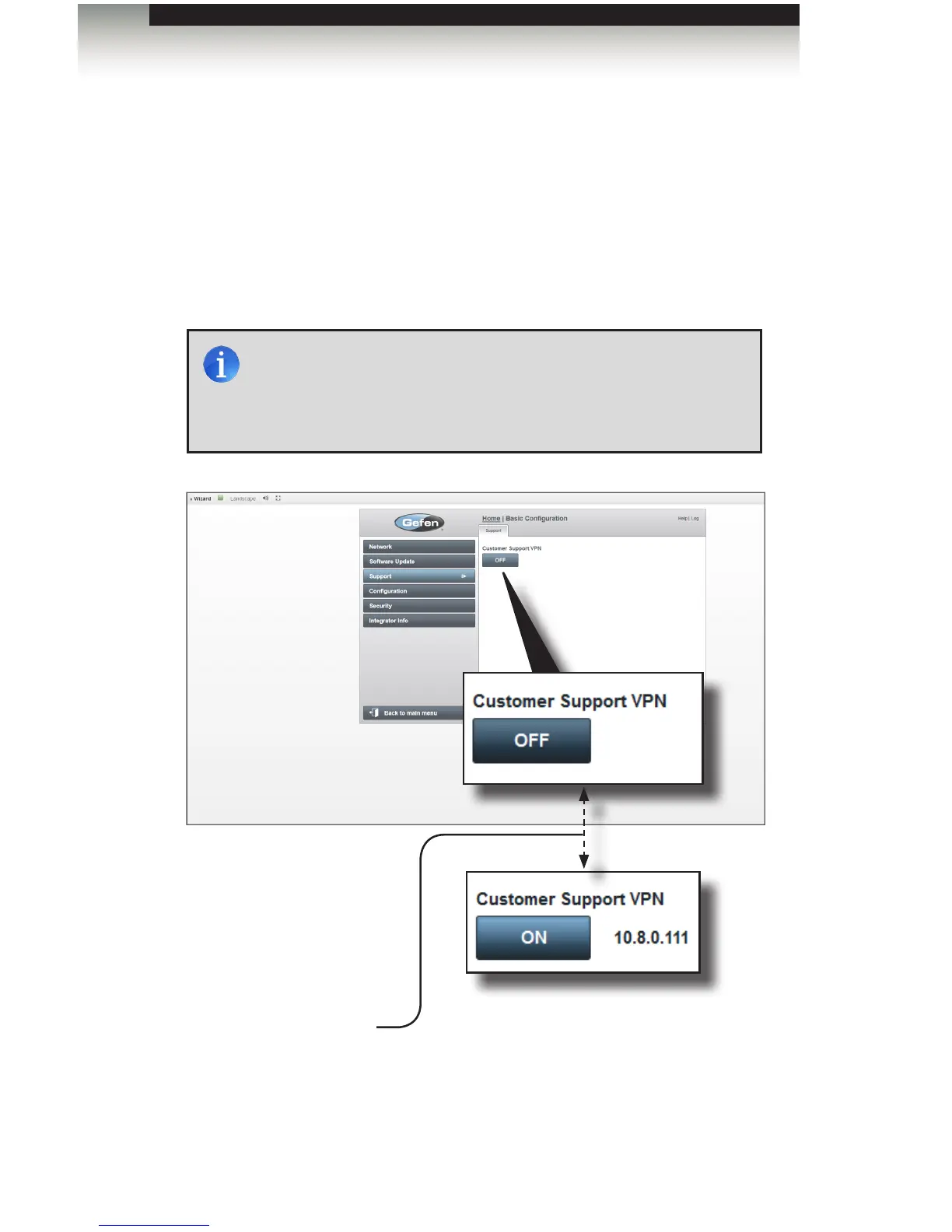
The Support screen shows the Customer Support VPN button. The Customer Support
VPN button allows your GAVA to nd and connect to Gefen’s Web Server to allow remote
support and troubleshooting. All communications are encrypted for your security, and are
tied to the authenticated serial number of your GAVA System Processor.
In addition, when the VPN is turned on, the “controller” indicator (see Panel Layout) on the
GAVA blinks twice every few seconds. When the VPN is off the light blinks once every few
seconds.
Customer Support VPN
Click this button to enable/disable the Customer Support VPN. In the OFF state, the
GAVA is disconnected from the Gefen VPN. In the ON state, the GAVA is connected
to the VPN server. When connected, the IP address of the Gefen VPN server will be
displayed next to this button.
NOTE: It is recommended that Customer Support VPN be enabled
when setting up a new system. This will aid Gefen Technical
Support in gathering important information when assisting you.
Once the system is operating properly, the Customer Support VPN
can be disabled.



 To Next Page