page | 61
Adding Rooms
Using the GAVA Wizard
Adding a Display
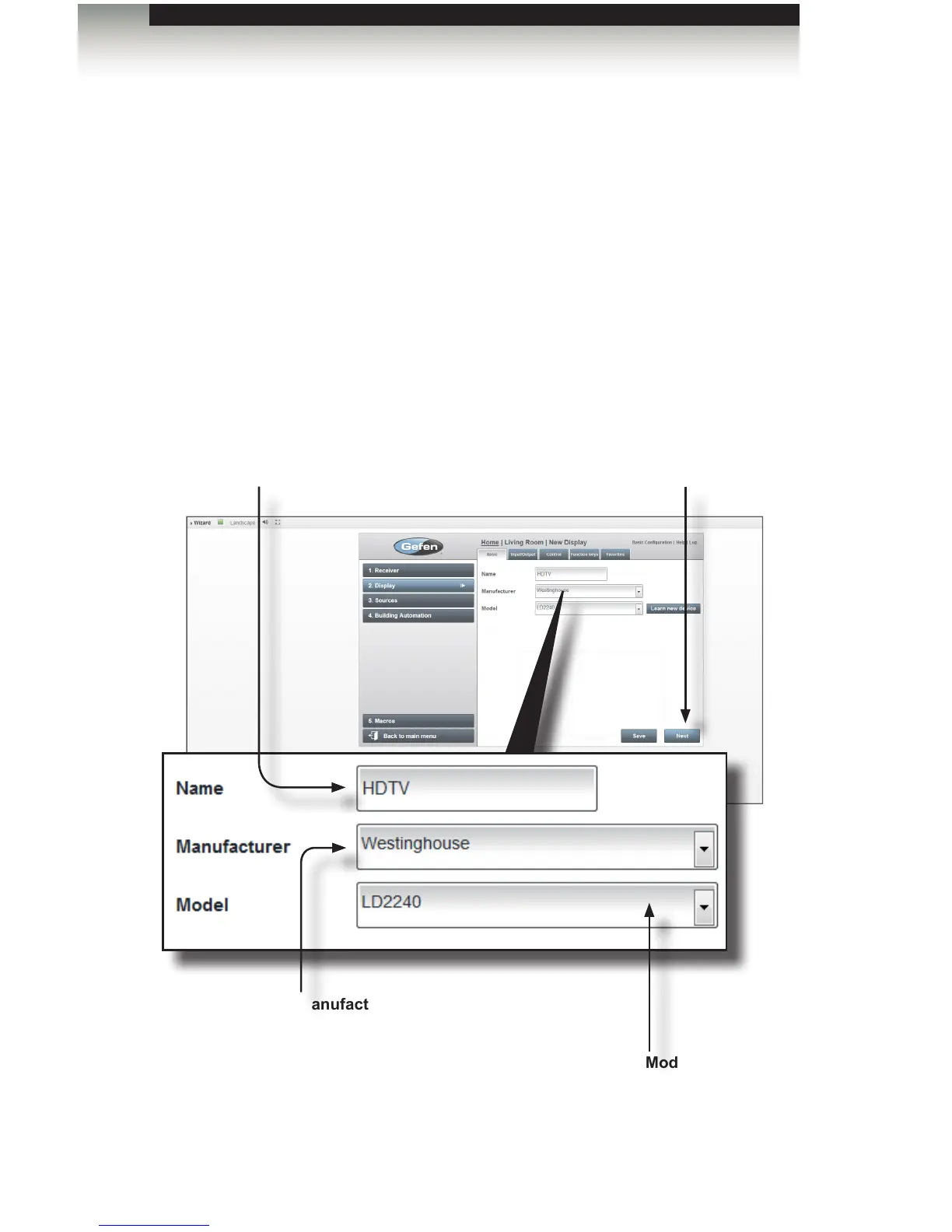
1. Click the Display tab on the left-hand side of the screen. The Basic tab will be
opened, on the right side of the screen.
2. Type a descriptive name for the display in the Name eld. As an example, we will
use the name “HDTV”.
3. Select the manufacturer from the Manufacturer drop-down list. We will select
“Westinghouse” since we are using a Westinghouse display.
Depending upon the model selected, the control capabilities for each driver will vary.
Manufacturer
Select the display Manufacturer from
this drop-down list.
Next
Click the Next button after
the Name, Manufacturer, and
Model have been entered.
Model
Select the display model from
the Model drop-down list.
Name
Type a descriptive name
for the display in the Name
eld.



 To Next Page