page | 84
Adding Rooms
Using the GAVA Wizard
Arranging Control Elements
Each element (Dimmer, Keypad, or Shade) can be arranged differently, based on the
control type. The order in which the elements are arranged, under the Selected list box, is
the order in which each element will appear in the control interface.
• To arrange elements, use the and icons to move the elements within
the Selected list box.
• To remove an element from the Selected list box, click the icon.
• If an element appears in the Selected list box, it will be marked under the Available
list box with “>>”
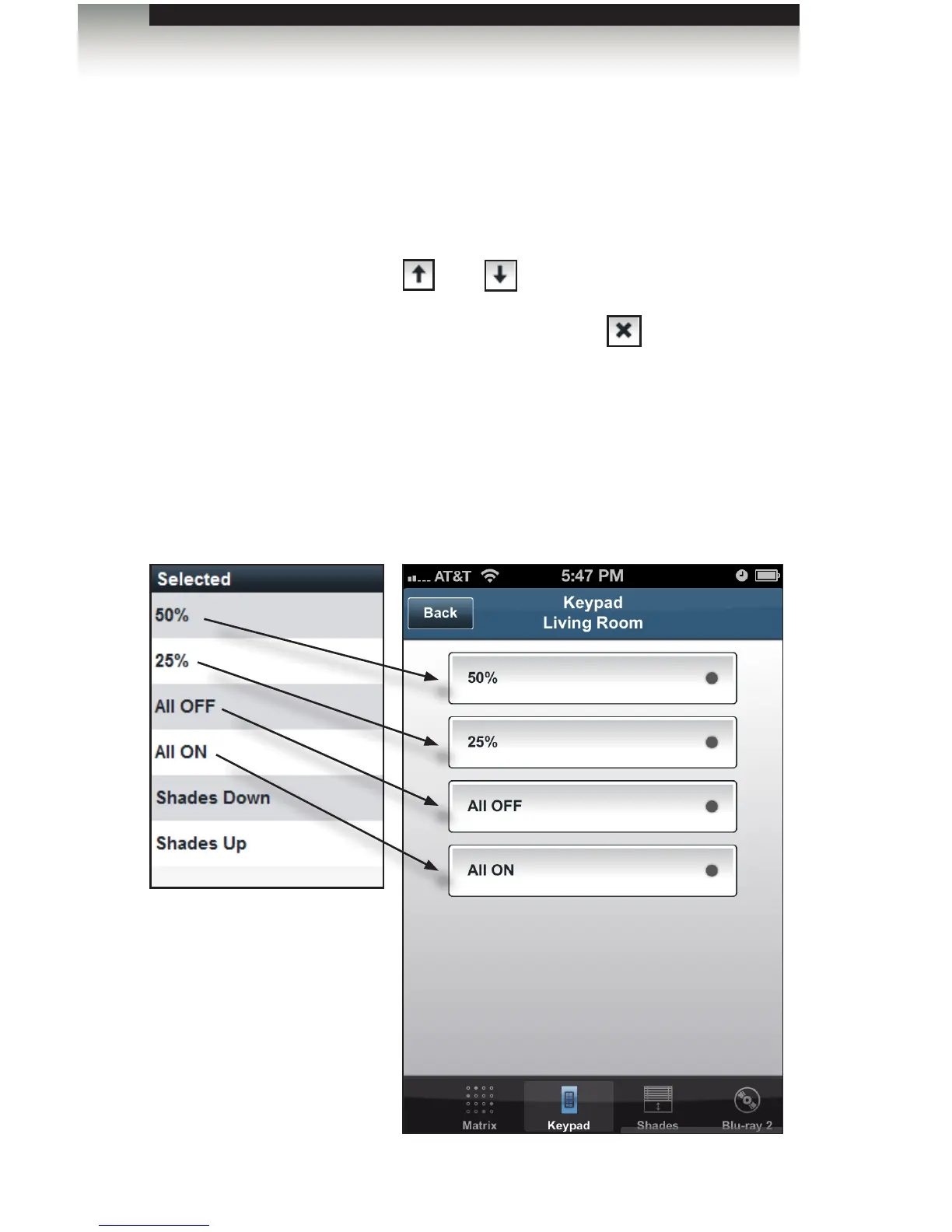
In the example below, we have randomly added all our elements to the Selected list box.
The illustration below shows the Keypad control screen, under the device panel compared
with the order of each element under the Selected list. Notice that the order of each
button, within the GAVA GUI, is the same as the Selected list (within the GAVA Wizard).



 To Next Page