page | 83
Adding Building Automation
We have already added the Lutron RadioRA 2 control gateway. However, we will need to
add these controls to one of the Rooms that we created. For this example, let’s continue
working with the “Living Room”.
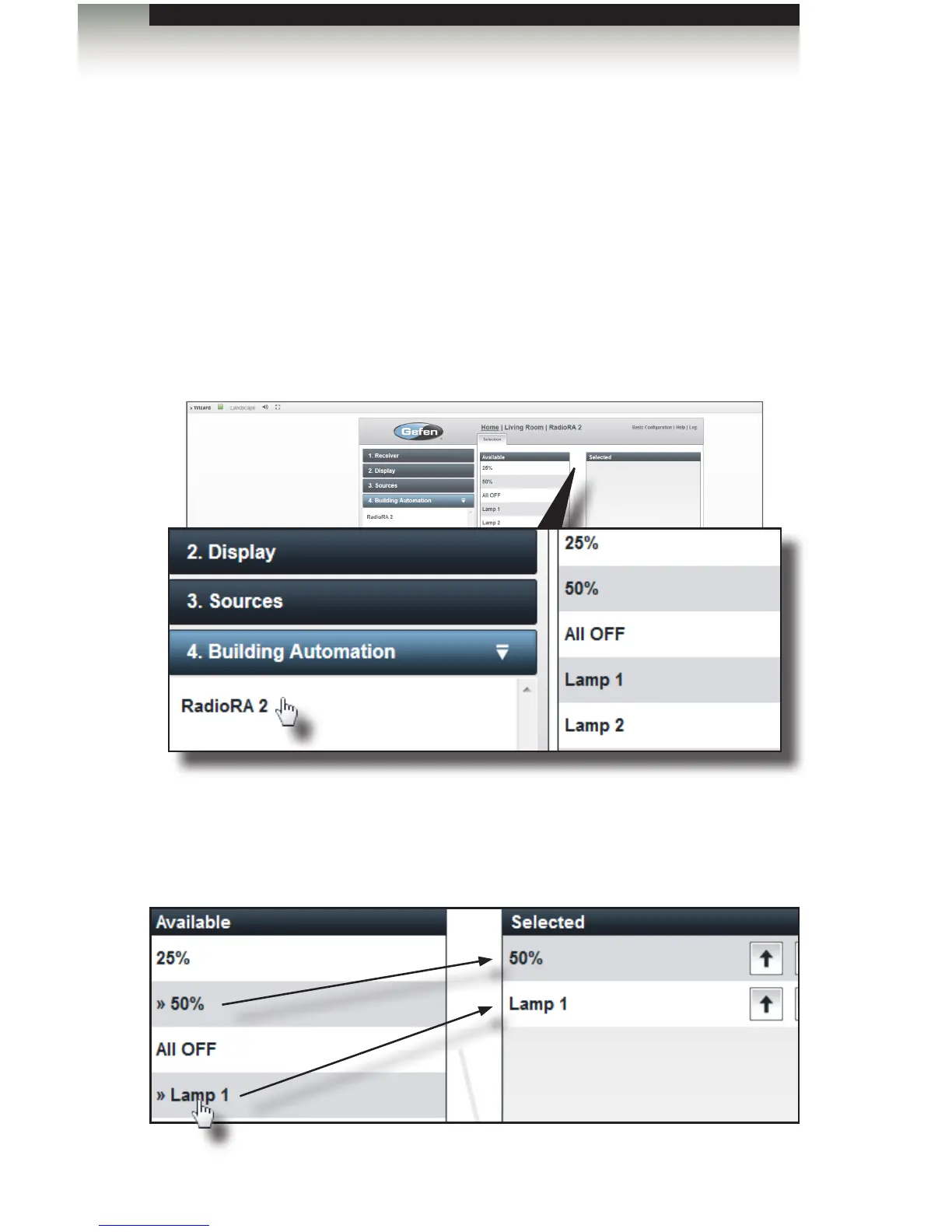
1. Under the Rooms tab, on the left side of the screen, click Living Room.
2. Click the Building Automation tab. The RadioRA 2 control gateway
will be displayed.
3. Click on RadioRA 2.
4. The list of available elements for the RadioRA 2 device will be displayed on the
right-hand side of the screen under the Available list box.
5. Select the desired elements by clicking on them. Each element will be added to the
Selected list box in the order that it was selected from the Available list box.
Adding Rooms
Using the GAVA Wizard



 To Next Page