page | 21
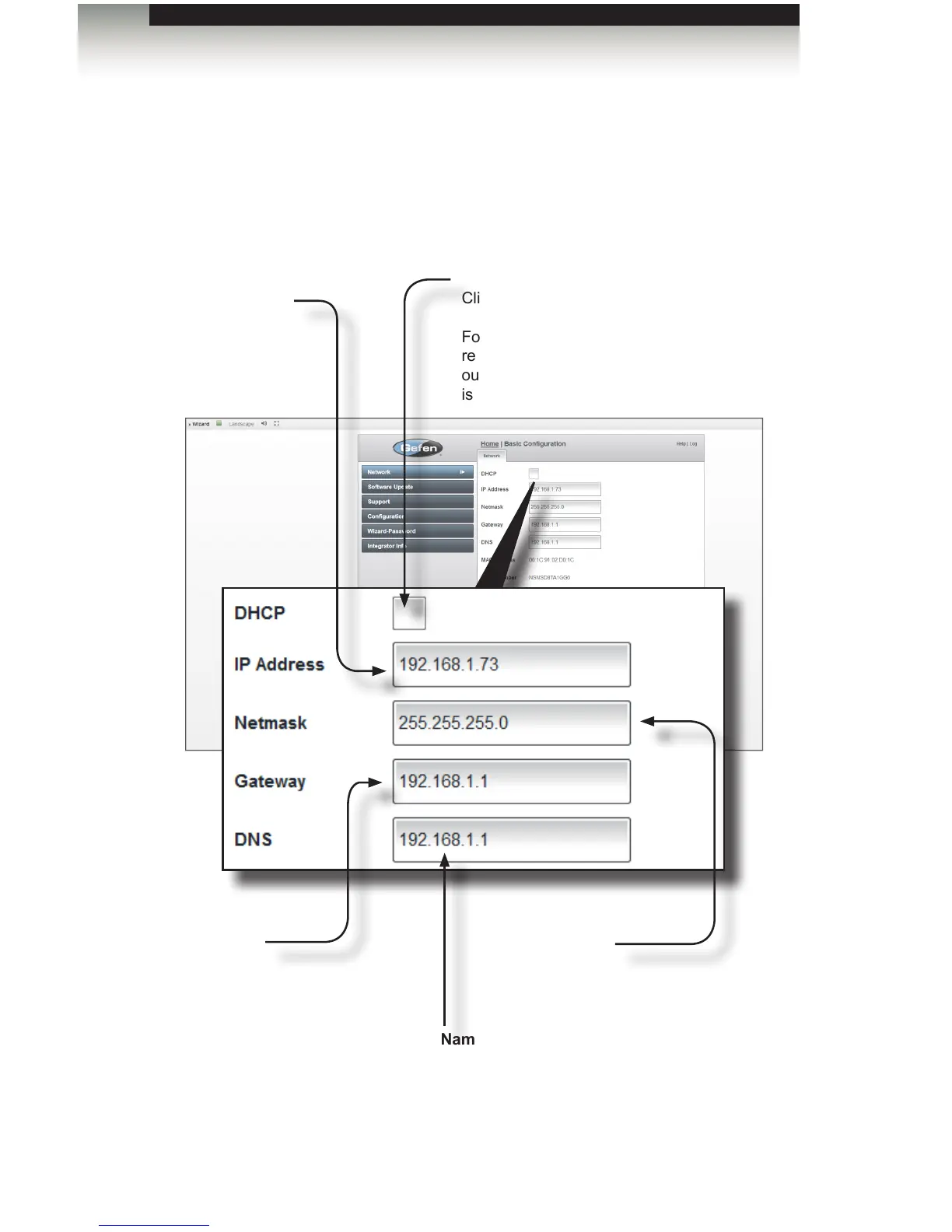
Network
1. Click Basic Conguration near the upper right-hand corner of the screen.
2. The Network sidebar button will automatically be highlighted.
DHCP checkbox
Click this check box to enable DHCP.
For the best system reliability, it is
recommended that a manual IP address,
outside of the DHCP range of your router,
is specied.
IP Address
Enter the desired
IP address of the
GAVA in this eld or
check DHCP.
Netmask
Enter the network subnet
mask in this eld (usually
255.255.255.0).
Gateway
This is the IP address of your
router.
Nameserver
This is usually the same as the
router IP address (Gateway),
unless you have a separate
DNS server.
Basic Conguration
Using the GAVA Wizard



 To Next Page