page | 23
Software Updates
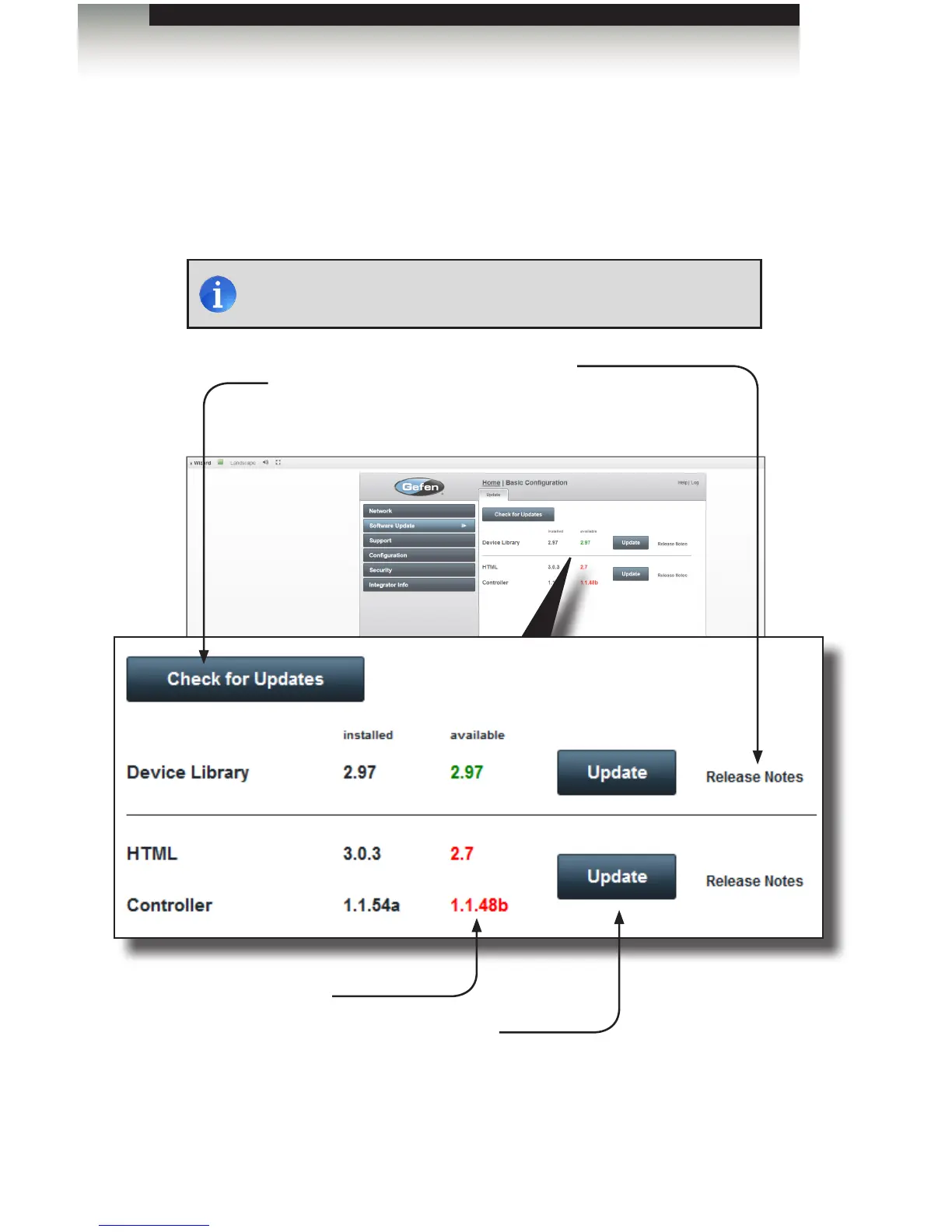
The Software Update screen displays the version information for the Device Library and
system rmware that is currently installed on the GAVA. This screen also allows you to
check for newer version of rmware. If a newer version of rmware is discovered, then it
will be displayed under the “available” column.
Basic Conguration
Using the GAVA Wizard
NOTE: Internet access is required to check for and install updates.
Check for Updates
Click this button to check
for rmware updates
Release Notes
Click to view information and
improvements on the latest
release, before downloading.
Update
Click these buttons to install the updates once
they have been downloaded. The top Update
button updates the Device Library. The bottom
Update button updates the system (HTML and
Controller) rmware.
Versions marked in
red, indicate that a new
version is available for
download.



 To Next Page