page | 62
Adding Rooms
Using the GAVA Wizard
4. Click the Next button in the lower-right portion of the screen the current settings and
continue to the Input/Output tab.
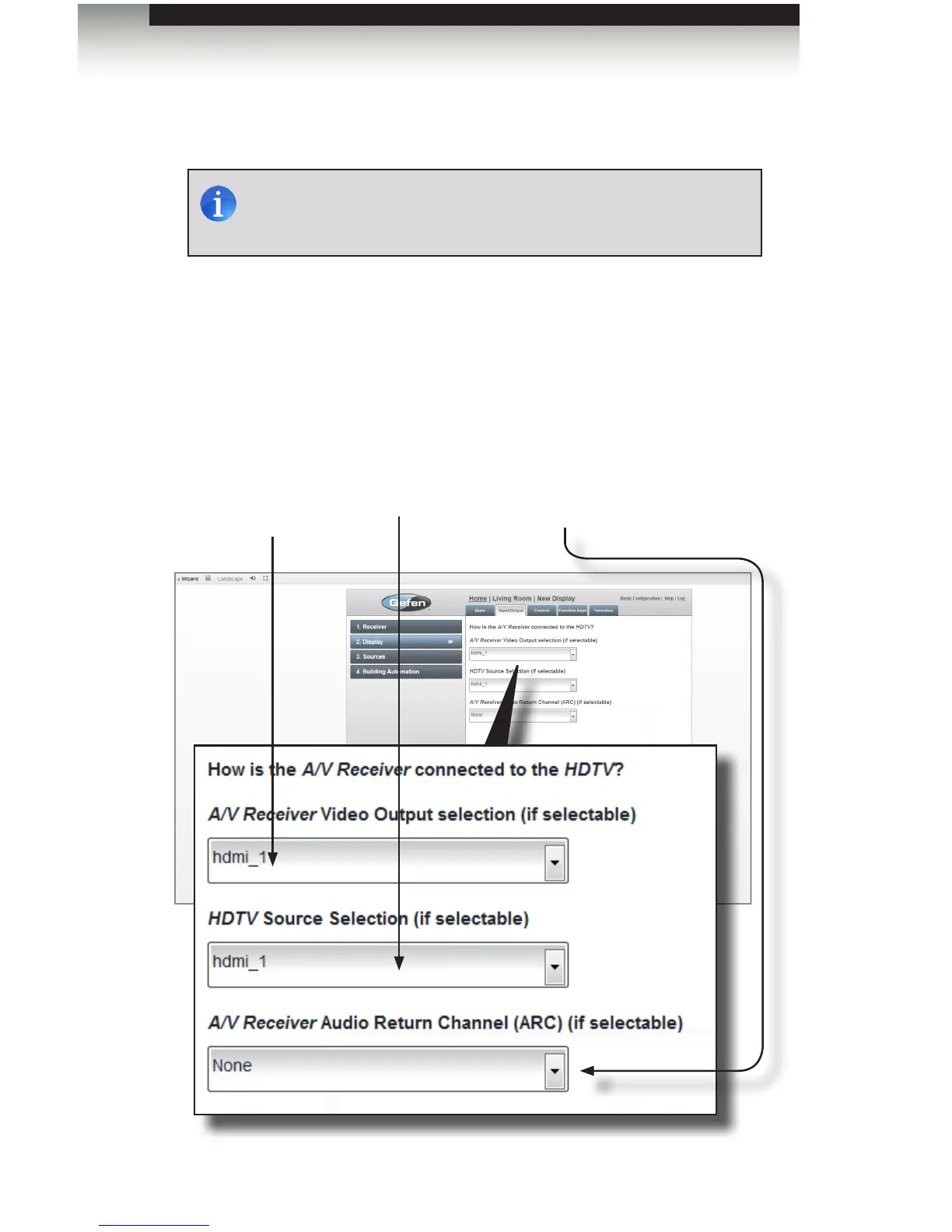
5. Select the output port on the receiver (usually HDMI 1) from the drop-down list on the
left. This port will connect the receiver to the display.
6. Select the input port on the display from the drop-down list on the right.
7. Select the command that will be used for audio return (usually the TV) from the
drop-down list. This setting is optional.
NOTE: Displays that do not provide discrete codes for Power On,
Power Off, and Input selection are not recommended for use with
GAVA, as they will not allow operations via Macros.
Receiver Output port
The output port on the A/V
receiver used to connect
to the display.
Audio Receiver return
Selects the command used
to hear TV audio through
the receiver and speakers.
Display Input port
The input port on the
display.



 To Next Page