Example
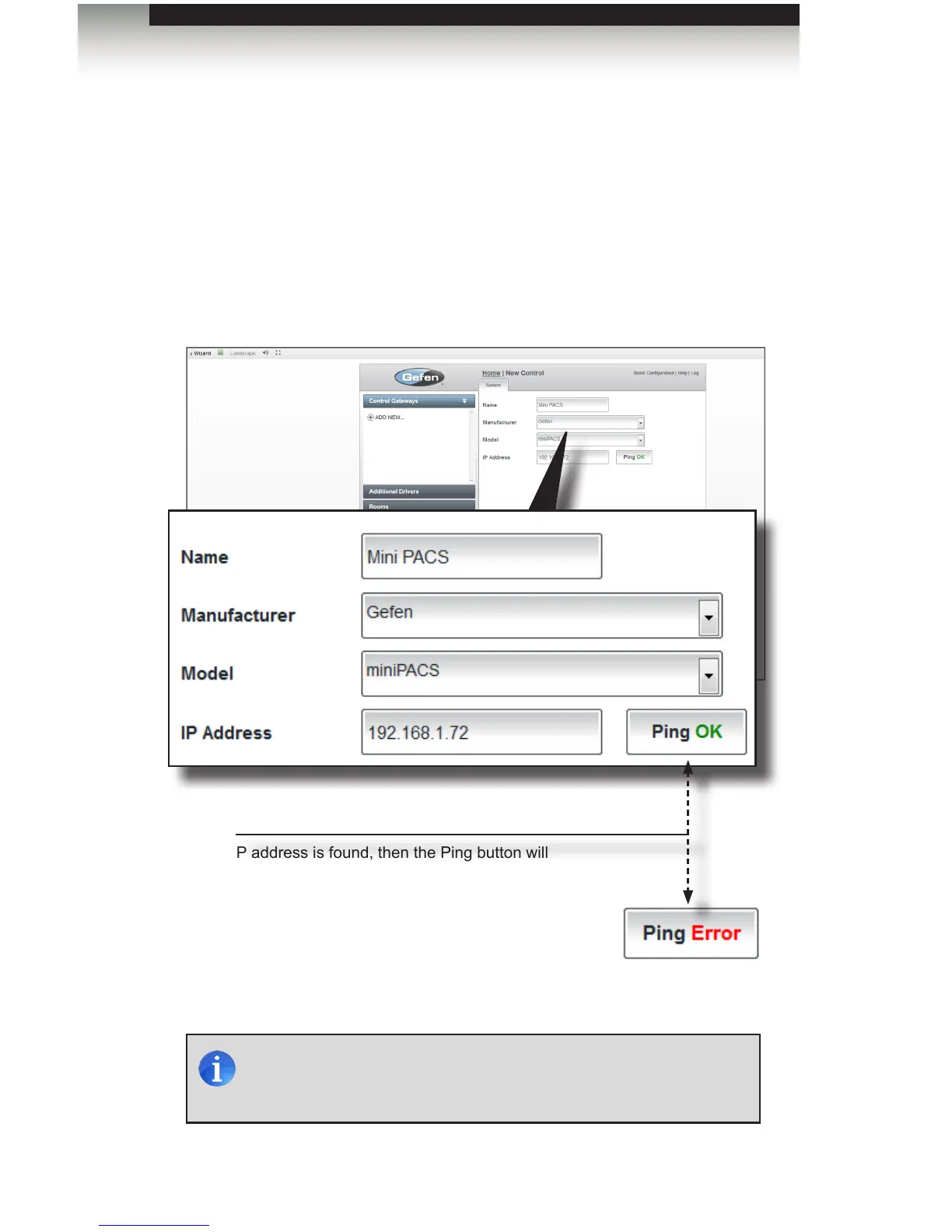
In the example below, we have added the Gefen Mini PACS as a Control Gateway.
In the example below, take note of the Ping button. If the IP address of the control
gateway is found, then the Ping button will display “Ping OK”. If not, then “Ping Error”
will be displayed. The Ping button can also be clicked to verify the network connection
to the control gateway.
“Pinging” a contol gateway or device is useful during troubleshooting, should any
network issues be suspected.
page | 31
NOTE: The “Ping” function only determines that there is an active
device with the entered IP address on the network, It does not
determine if you have entered the IP address of the correct device.
Ping
If the IP address is found, then the Ping button will
display “Ping OK”. If not, then “Ping Error” will be
displayed.
Adding Control Gateways
Using the GAVA Wizard



 To Next Page