page | 150
1. Locate the IR remote for the new device and place the remote on a at, stable
surface. Make sure the batteries are fresh!
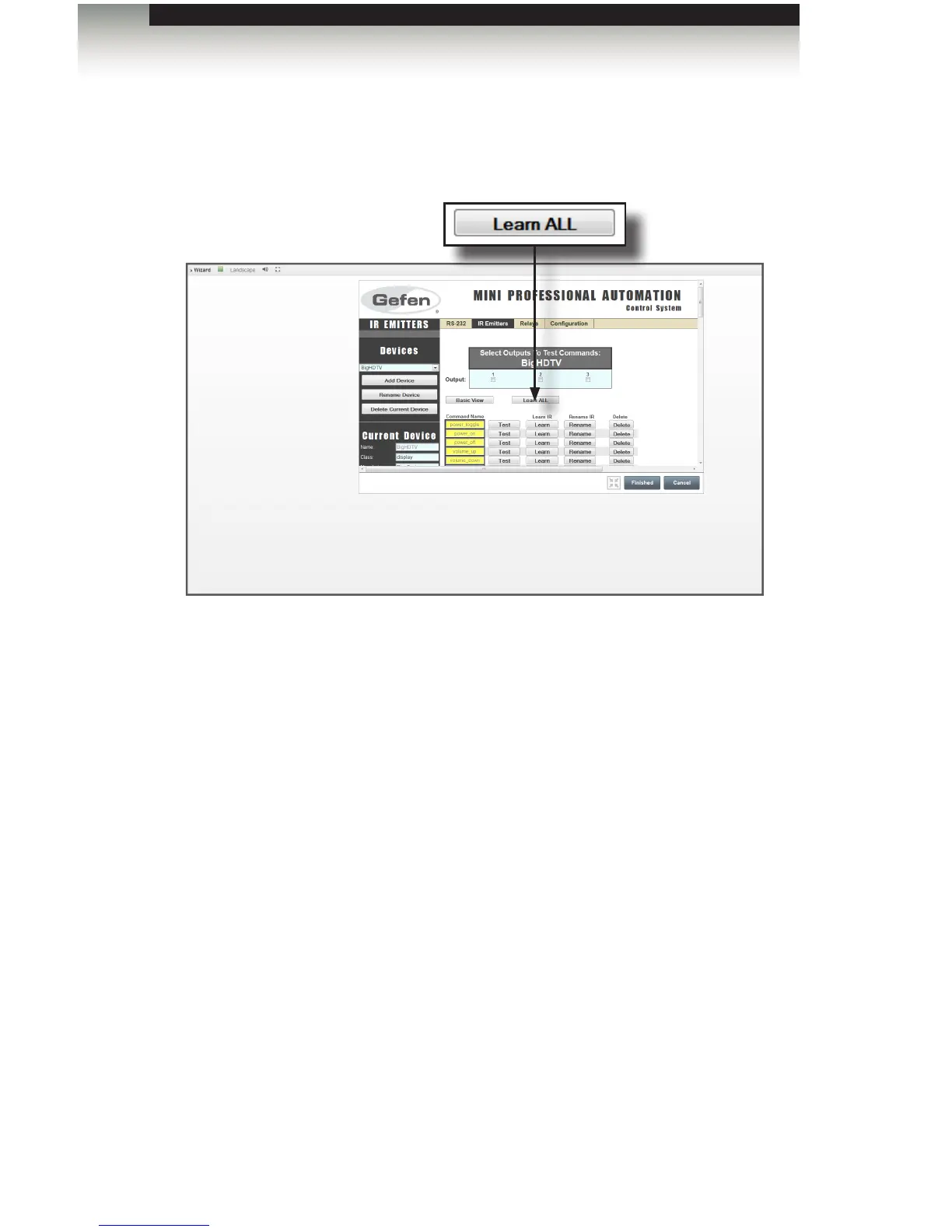
2. Click the Learn All button.
3. You will be prompted to press the remote button that matches the Command Name
you are learning. Press the button rmly- do not hold it down, or just hit it quickly.
4. You will be prompted to press the same button a second time. The PACS will conrm
that the two codes match. Some IR remotes use “toggle codes”, where the IR code
toggles between two different codes each time the button is pressed. The PACS will
recognize this, and ask you to press the button a third and fourth time.
5. If the commands match, the PACS will prompt you for the next Command in the list.
6. If you are prompted for a command that does not exist on your remote, you can press
the SKIP Command button, and you will be prompted for the next button on the list, or
you can press EXIT IR Learning button to end the learning process. If you click the
Learn ALL button, the learning process will be restarted, beginning with the rst
unlearned command. Any previously-learned commands will be skipped.
Learning a New Device
Appendix



 To Next Page