page | 36
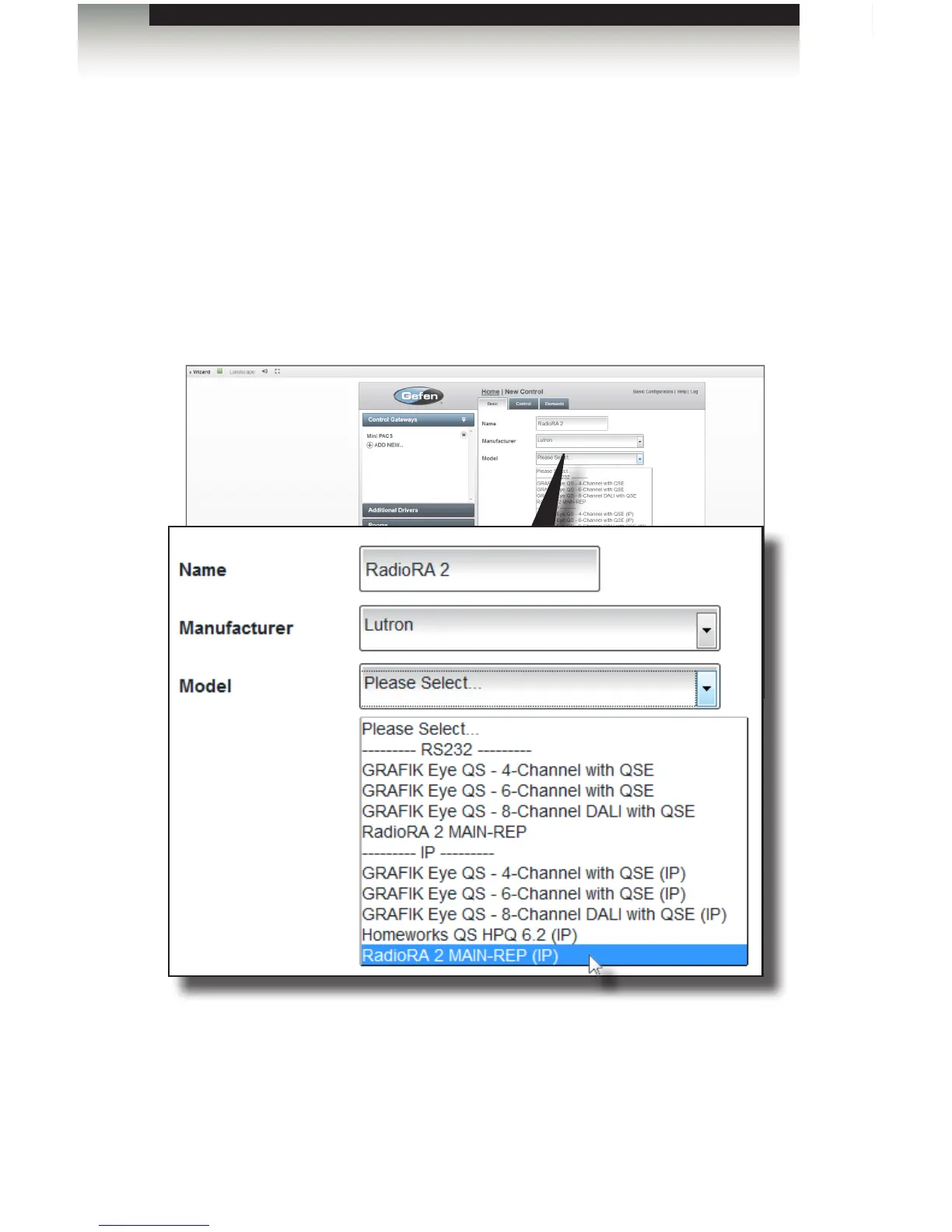
3. Select the manufacturer from the Manufacturer drop-down list.
4. Select the model number of the Lutron Main Repeater from the Model drop-down list.
In the example below, we will select IP control.
Using IP Control
1. Select the IP control device. In this example we are using a Lutron RadioRA 2.
Therefore, we will select RadioRA 2 MAIN-REP (IP) from the drop-down list.
2. Click the Next button in the lower-right corner of the screen.
3. Under the Control tab, enter the IP address of the Main Repeater in the IP Address
eld.
Adding Control Gateways
Using the GAVA Wizard



 To Next Page