page | 38
Adding Control Gateways
Using RS-232 Control
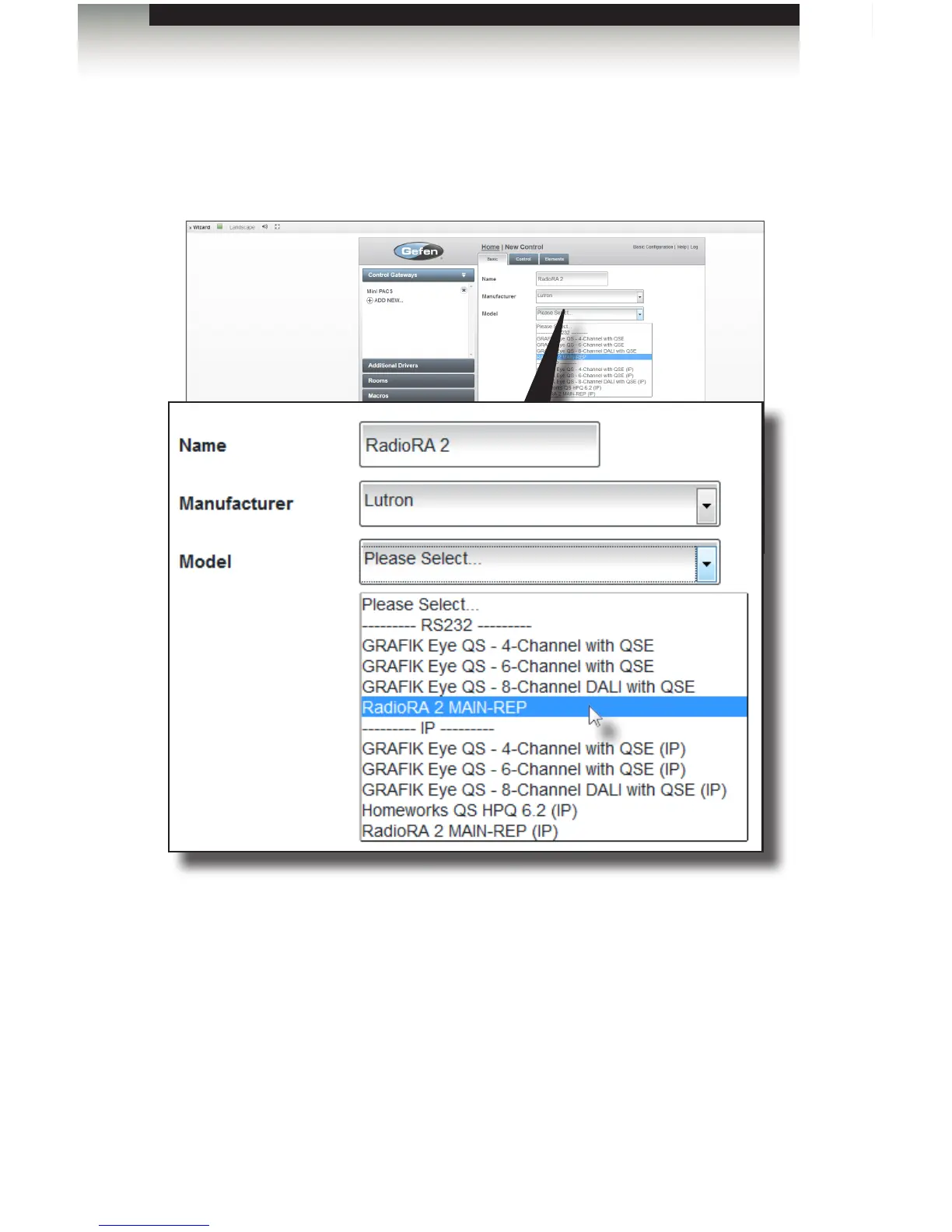
1. Select the RS-232 control device. In this example we are using a Lutron RadioRA 2.
Therefore, we will select RadioRA 2 MAIN-REP [1] from the drop-down list.
2. Click the Next button.
3. Under the Control tab, select the controller from the Controller drop-down list.
Since we connected a Mini PACS, we will select Mini PACS from the drop-down list.
4. Once the controller has been selected, check the appropriate RS232 check box.
See the illustration on the next page.
Using the GAVA Wizard



 To Next Page