page | 72
Adding Rooms
Using the GAVA Wizard
If you do not know the IP address of the computer that is running iTunes, use Fing
or the following steps to obtain this information.
Microsoft™ Windows®
• On the computer running iTunes, click on the Start Menu button and then select Run.
Under Window Vista® and Windows 7®, select the Search programs and les eld.
• Type command in the Run dialog and press Enter.
• In the command window type ipcong and press Enter.
• Locate the IP address of the computer in the command window.
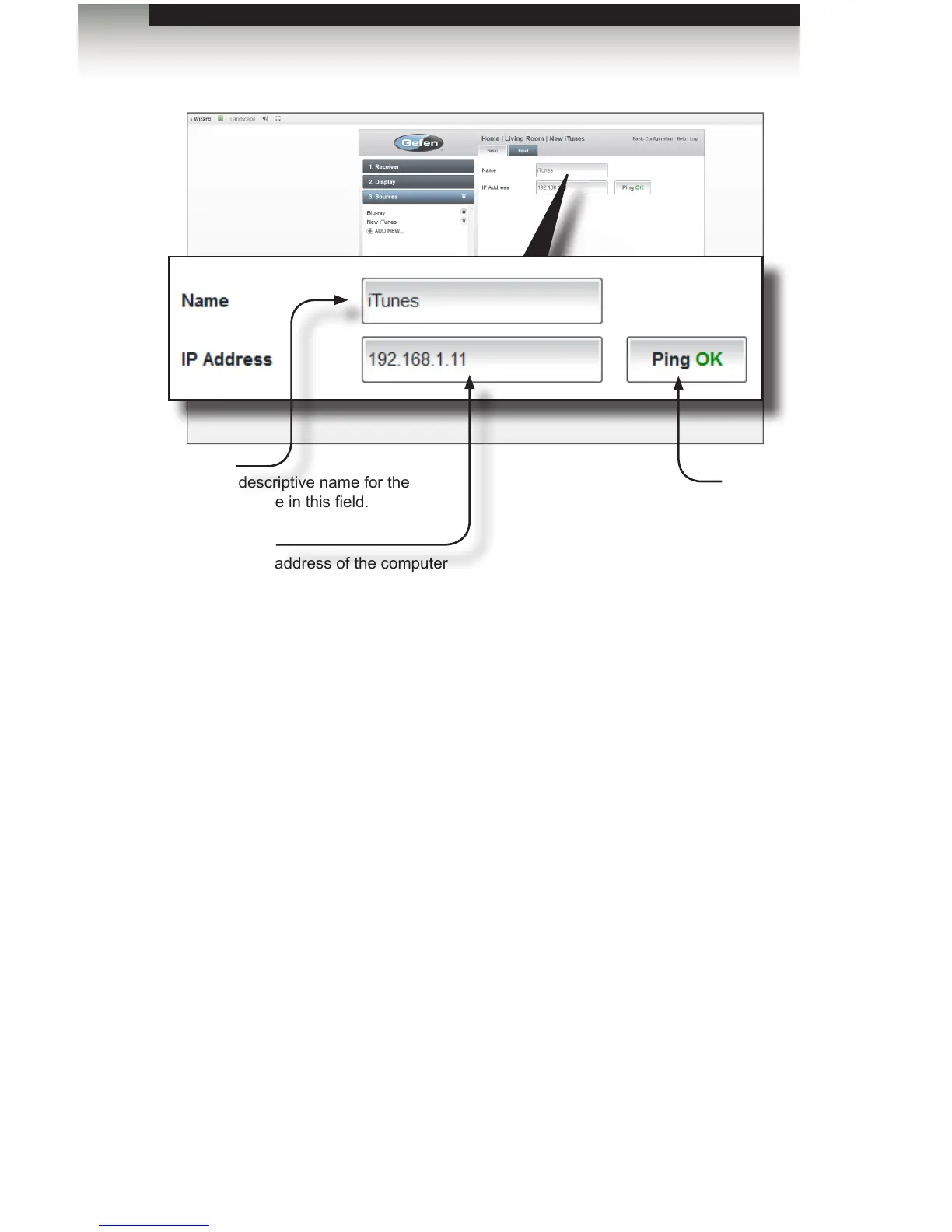
Ping
If the IP address is found, then the
Ping button will display “Ping OK”.
If not, then “Ping Error” will be
displayed.
Name
Type a descriptive name for the
iTunes device in this eld.
IP Address
Enter the IP address of the computer
that is running iTunes.



 To Next Page