page | 76
Adding Rooms
Using the GAVA Wizard
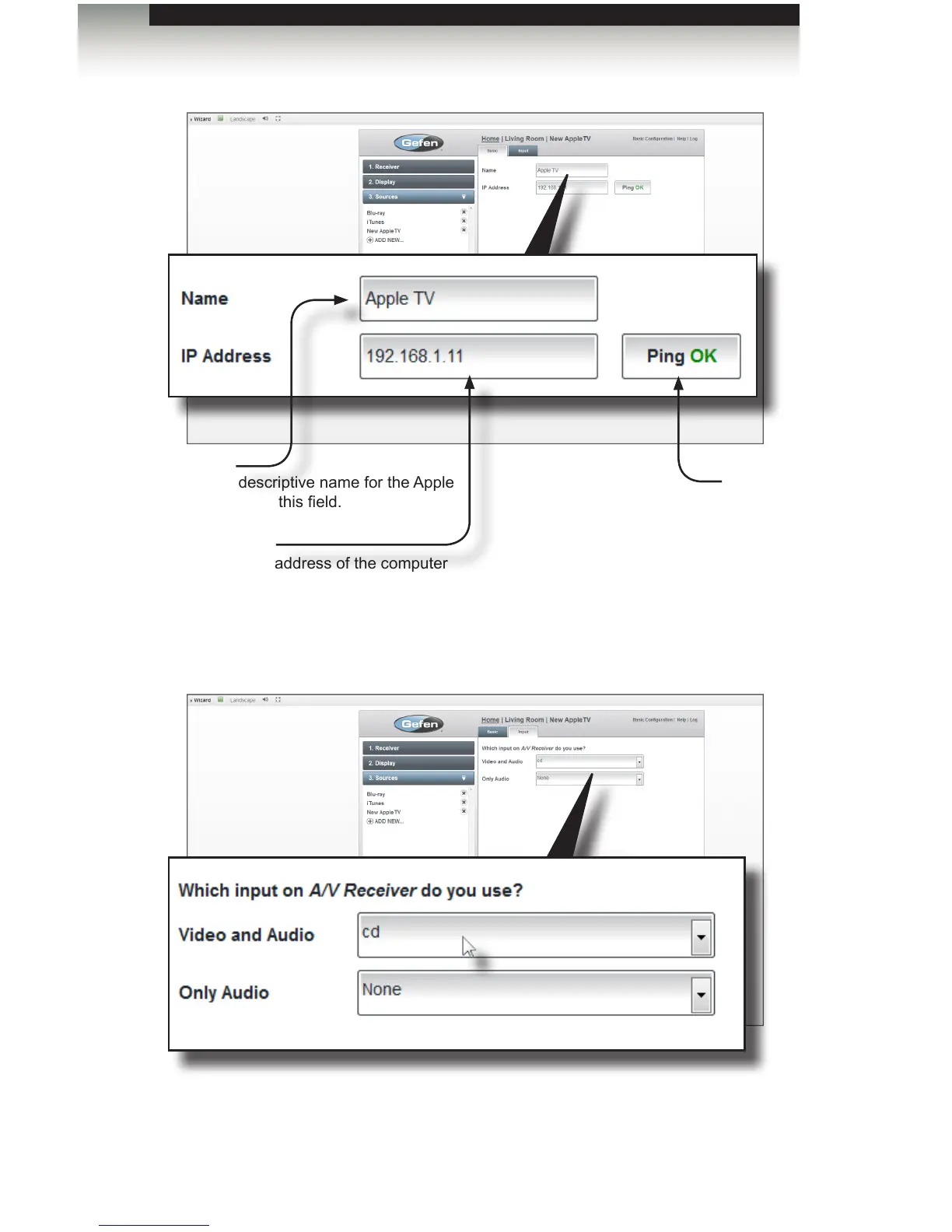
6. Under the Input tab, select the input on the receiver that selects the Apple TV.
7. Click the Save button in the lower-right portion of the screen. The Apple TV device will
be displayed under the Sources tab, on the left.
Ping
If the IP address is found, then the
Ping button will display “Ping OK”.
If not, then “Ping Error” will be
displayed.
Name
Type a descriptive name for the Apple
TV device in this eld.
IP Address
Enter the IP address of the computer
that is running Apple TV



 To Next Page