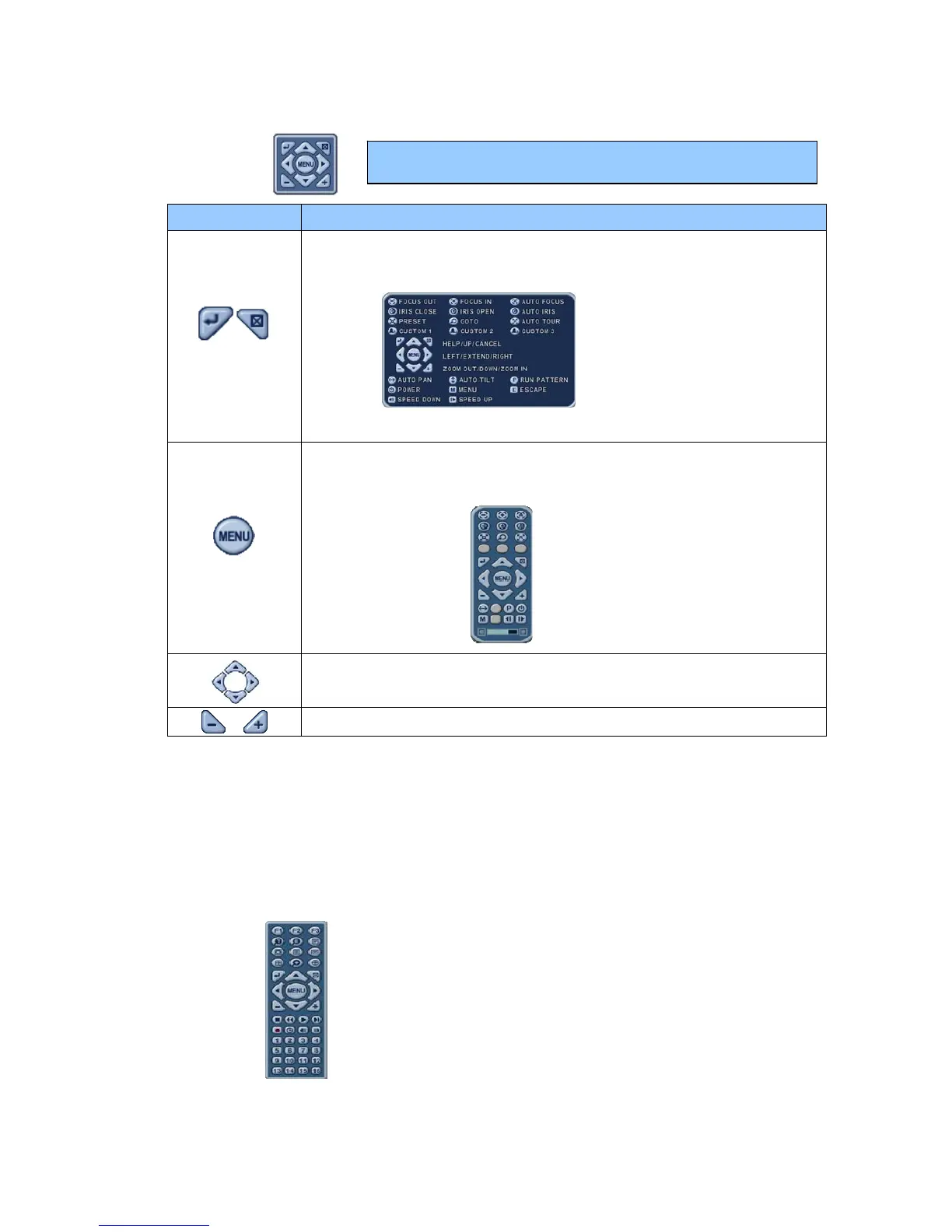
y Press this button to display “HELP” Menu. Press the ENTER
Button again, or the CANCEL button to cancel the Help Menu.
y Press this button to cancel “PAN/TILT” Operation.
MENU Button
y PTZ camera control interface will be extended to use all functions.
Press this button again to display the short-cut menu.
y To Tilt Up and Down.
y To Pan Left and Right.
y Zoom In and Out.
1.1 How to Control PTZ by Mouse
Users can control a PTZ camera with a mouse controller.
The mouse cursor is used for control instead of the direction buttons.
1) Press PTZ button on the virtual remote controller.
2) PTZ Menu and a control box are displayed, as below.
Note: Please Refer to the Help Menu for specific control.



 To Next Page