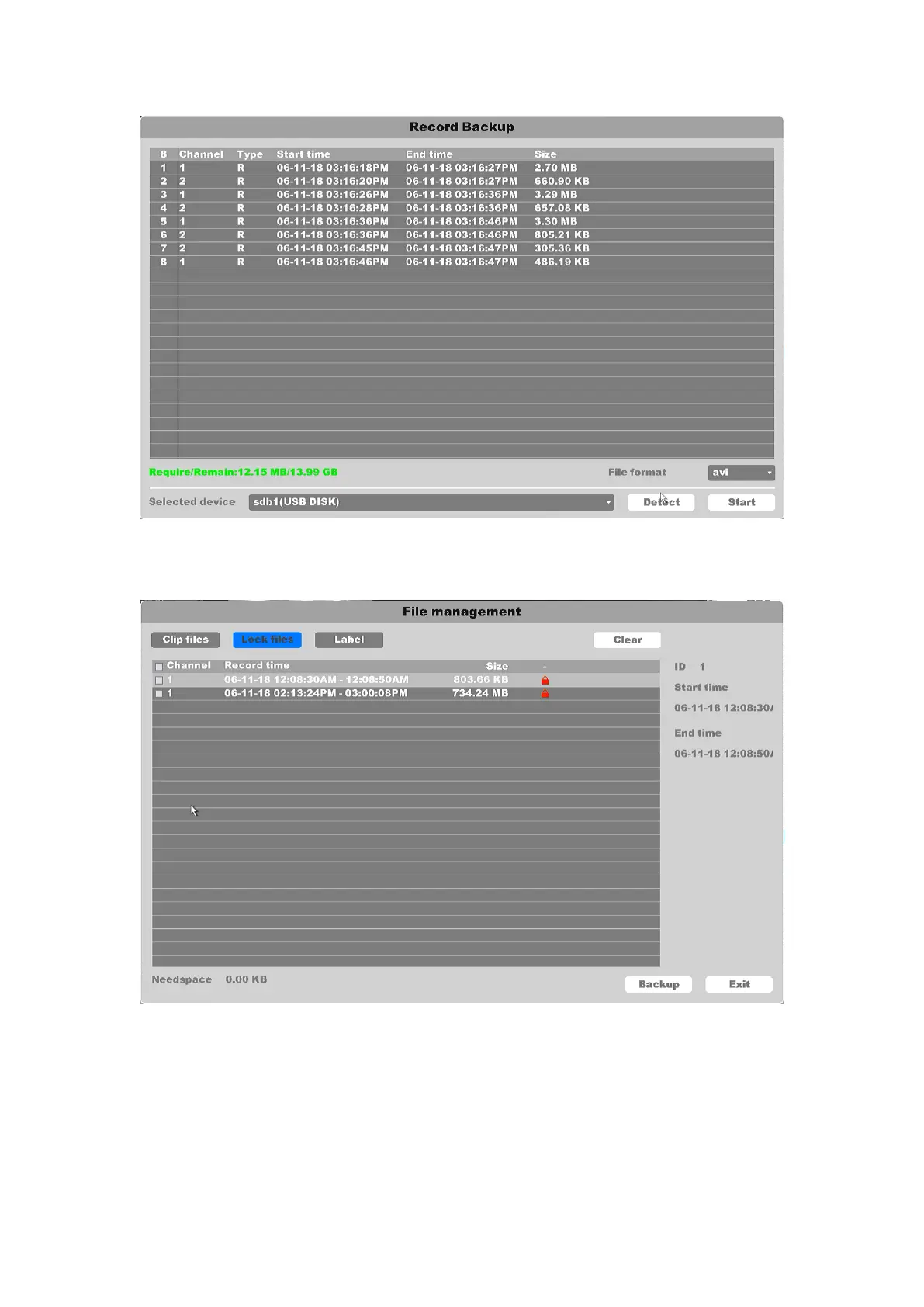
Figure 4-109 Backup the Clip files
The “Lock Record” button will lock the file to stop overwriting with a new file. You can check and
back up the locked files in “File Manage”. And you can unlock the locked files in this interface.
Figure 4-110 Lock Files
Click the “Default Label” button will mark the video as a default label, you can edit the label and
check in the “File Manage”.



 To Next Page