5.6.10 Storage
5.6.10.1 Record & Snapshot
5.6.10.1.1 Record
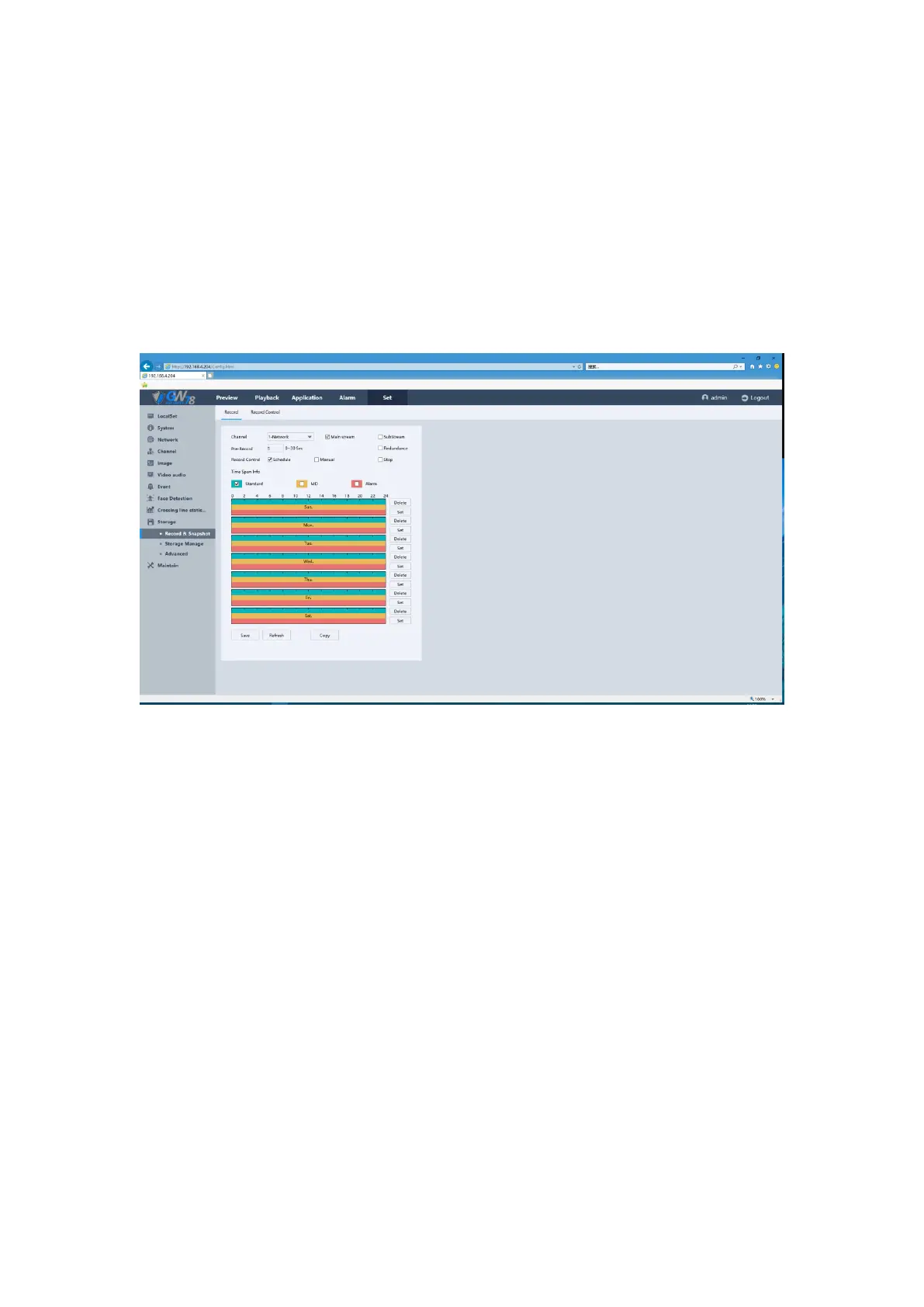
Click the Set -> Storage-> Record & Snapshot-> Record. As show in figure 5-54.
Figure 5-54 Record Schedule Interface
The parameters should be consistent with NVR local setting .Green stands for normal record,
yellow stands for motion detection, red stands for I/O trigger record.
Channel: set record type for each channel, mainstream and sub stream are for choice.
Pre-record: Set the pre-record time for each channel.
Record Control: Three kinds of video control such as schedule, manual and stop.
How to configure Record Schedule:
1. You can choose the day of which you want to set the schedule, click the set button on
the right.
2. The default is to schedule an all-day recording, to arrange other schedule, set the
Start/End time for each period.
3. Select the record type on the right hand side
4. Click Ok to save all the settings.
5. Repeat the above edit schedule steps to schedule recording for other days in the week.
If the schedule can also be applied to other days, click the day you want to configure the same
schedule, and click OK.
Note:
Up to 8 periods can be configured for each day. And the time periods can’t be
overlapped each other.



 To Next Page