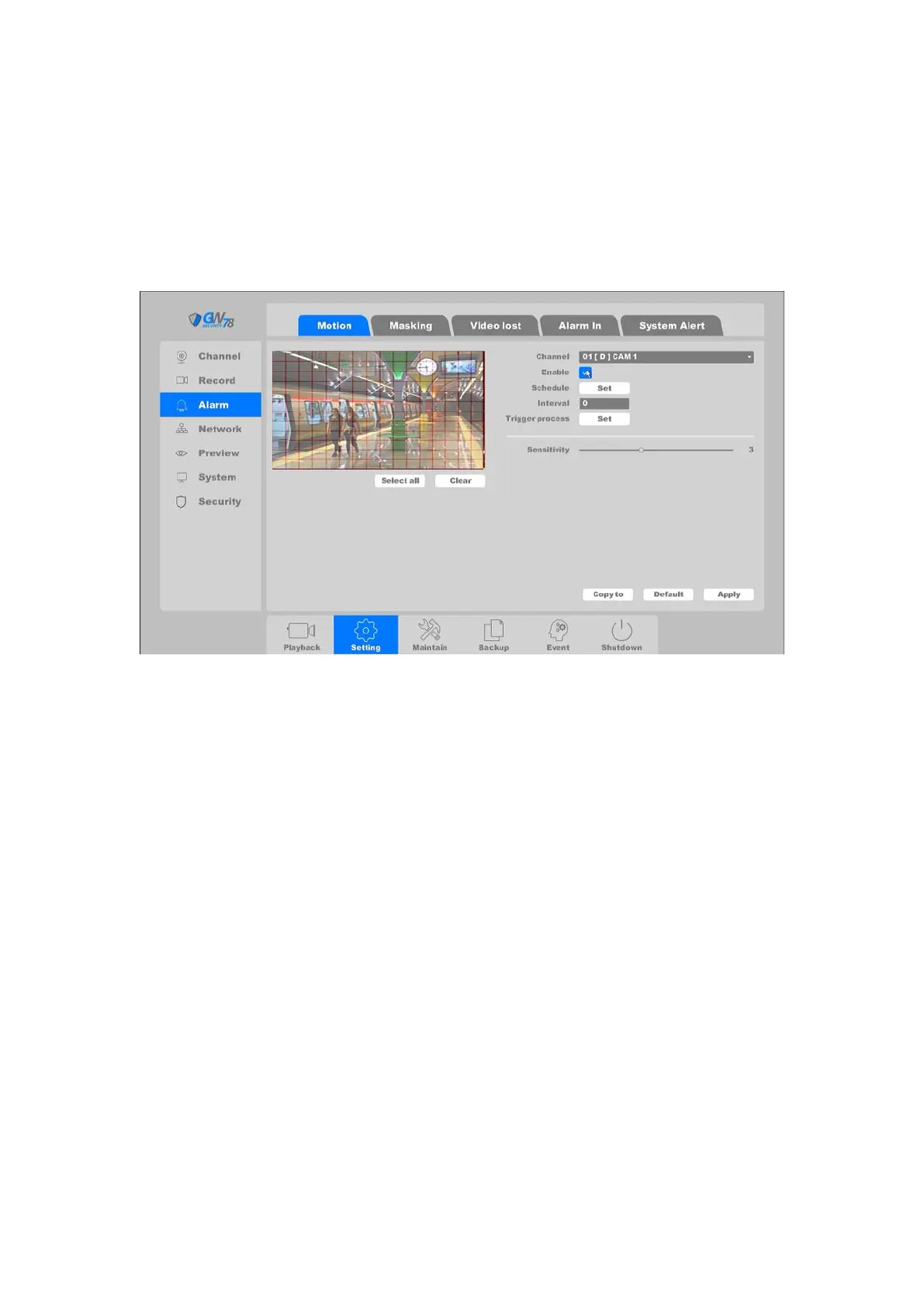
4.3.4.1 Motion
Motion detection is to detect the movement of the channel. If any movement appears in the
surveillance area the NVR will detect it and respond according to the settings established.
Click on the "Setting -> Alarm -> Motion", as shown in figure 4-35.
Figure 4-35 Motion Detect
Channel: Select the channel.
Enable: Motion detection enable toggle.
Schedule: Set the time slot of motion detection. Here it supports 6 time slots at most.
You can copy the setting to other days: click Copy and select another weekday, click Paste to
have it configured as the former one. Click Default to clear all the settings. (as shown in
figure 4-36)



 To Next Page