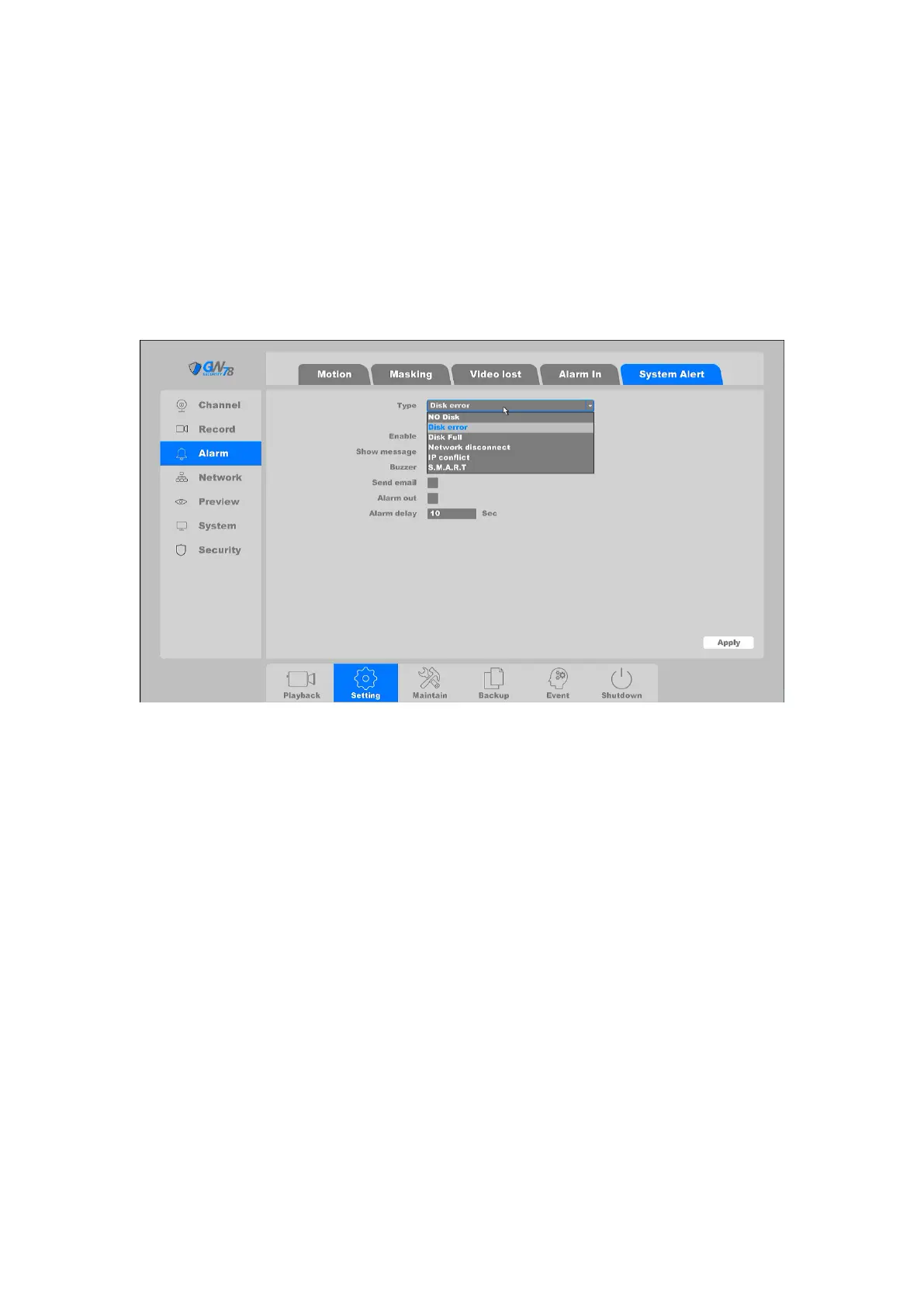
4.3.4.5 System Alert
Click on the "Settings -> Alarm-> System Alert "into the graphical interface.”, as shown in figure 4-
43.
Exception settings refer to the handling action of various exceptions, including: No writable disk,
Disk error, Disk No space, Network Disconnection, IP Conflicted.
Figure 4-43 System Alert
No writable disk: If all HDD are set to only read, this exception will be triggered. It
supports these methods to remind the user about the exception: Show Message, Buzzer,
Send Email, and Alarm Out.
Disk Error: If writing HDD error or HDD is unformatted, this exception will be
triggered. It supports these methods to remind the user about the exception: Show
Message, Buzzer, Send Email, and Alarm Out.
Disk No Space: You can set a minimum percentage of hard disk space. The handling
actions of this exception are: Show Message, Buzzer, Send Email, and Alarm Out.
Network Disconnection: If network is disconnected, this exception will be triggered.
It supports these methods to remind the user about the exception: Show Message,
Buzzer, Send Email, and Alarm Out.
IP Conflicted: Contain If IP conflict with other device at the same network, exception
will be triggered. It supports these methods to remind the user about the exception:
Show Message, Buzzer, Send Email, and Alarm Out.
S.M.A.R.T: This exception is about HDD health detection. It will be triggered when
the HDD of device have some problems and not work under good condition. It



 To Next Page