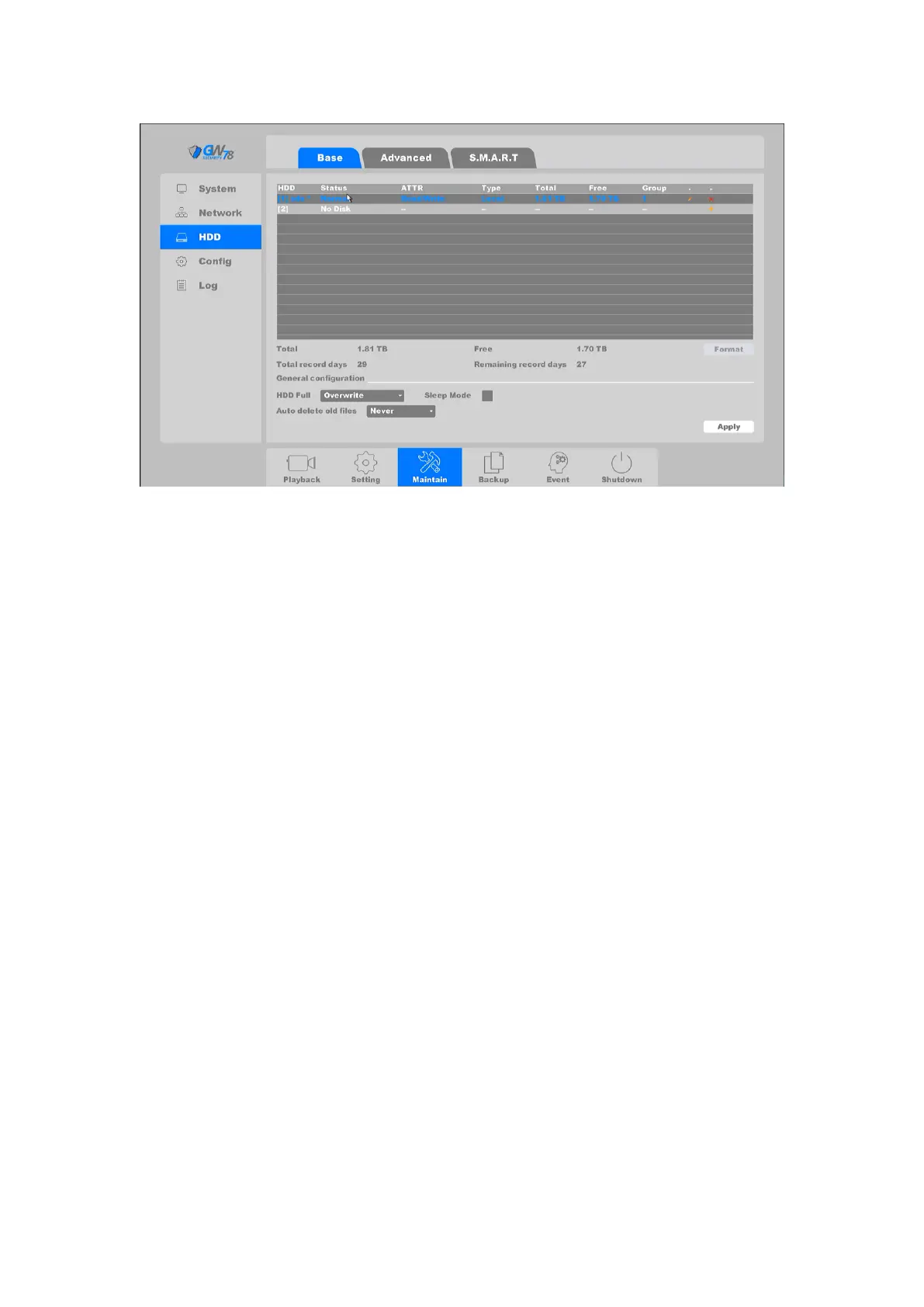
Figure 4-74 Base Setting of HDD
This page displays: the status of your HDDs, hard drive serial number, name, attributes, type of
hard drive, the total capacity / remaining capacity, which group they belong to, edit button, and
uninstall / Loaded button.
HDD: Shows HDD serial number, "[1]sda" or"[2]sdb".
Status: Shows the state of HDD: "Unformatted", "normal", or "no disk".
ATTR: HDD have three attribute, “Read/Write”,”Read only”, “Redundant”.
Type: Shows HDD connection type.
Total: Size of the HDD total capacity.
Free: Shows HDD remaining capacity size.
Group: Shows which group the HDD belonged.
Uninstall: Uninstall HDD.
Add: Add the HDD from uninstall state.
Format: Format the HDD manually.
HDD: You can set the full strategy of hard disk, "stop" or "overwrite".
Auto-Delete Old Files: Support two mode of strategy, “never” and “Custom”. In the
“Custom” mode you can set auto-delete time from 1-30 days before.
Sleep: Open this function and your HDD will smart sleep when it not being used.
Apply: Apply changes to the settings.
Click HDD the set button, interface depicted below.



 To Next Page