i. Group: You can set 16 different groups under group mode, and each channel is
independent of each group. If a channel does not belong to any group, no video file will saved; if
the channel belongs to more than one group the channel will use the space of these group one
by one until all the groups are full.
Note:
Apply a new storage mode need restart the NVR device.
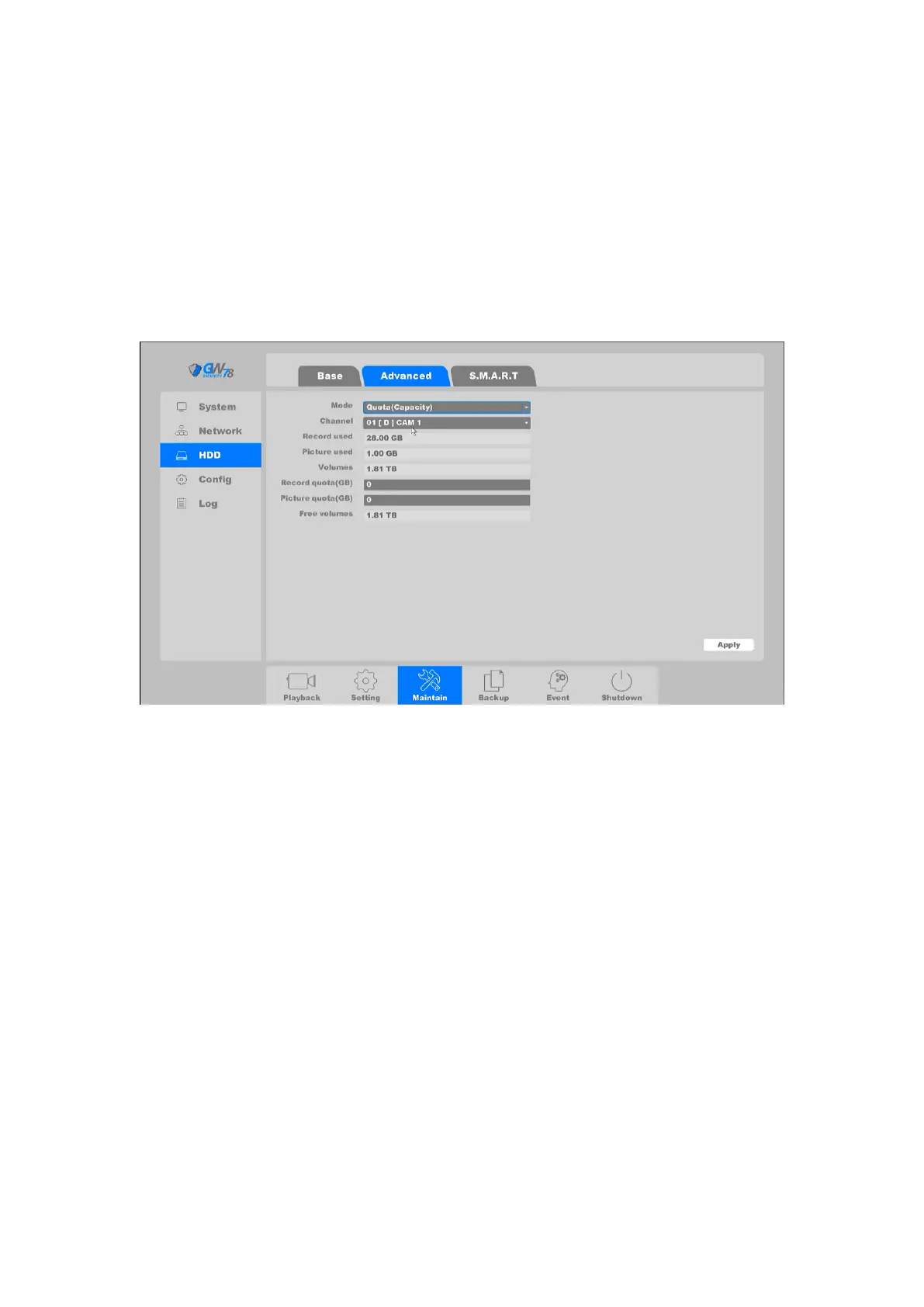
i. Quota (Capacity): The quota (capacity)mode allows manually setting allocated disk
space for each channel.
Figure 4-77 Quota of Capacity Mode
Record used: Shows the video files space that the channel you chose have used in real-
time.
Picture used: Shows the pictures space that the channel you chose have used in real-
time.
Volumes: Total capacity of all hard drives.
Record Quota: You can manually set the quota size of channel video.
Picture quota: You can manually set the quota size of channel picture.
Free volumes: Shows the free space minus the space you have set on other channels.
i. Quota (Time): The quota of time mode supports set time for every channel manually.



 To Next Page