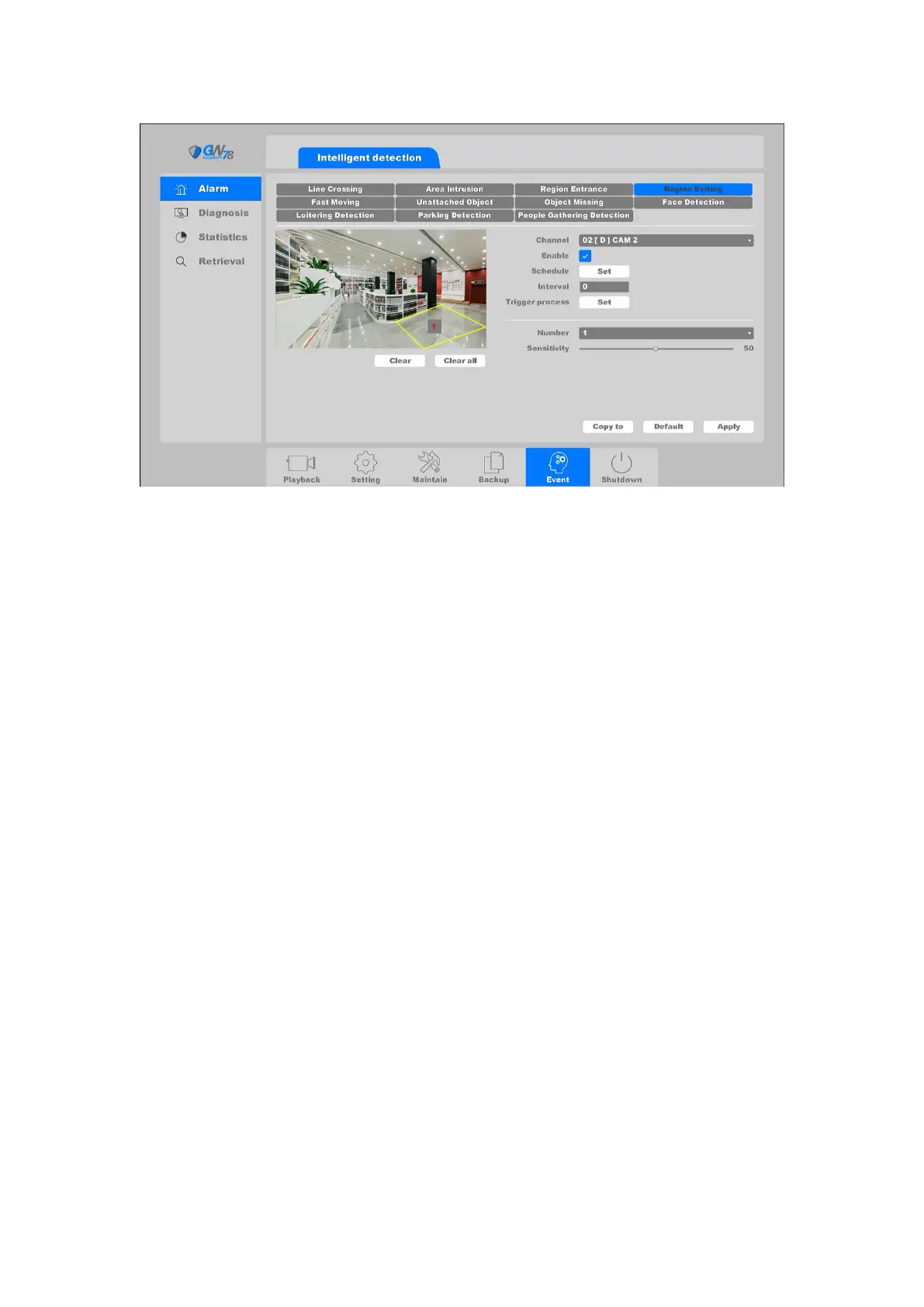
Figure 4-91 Region detection
Channel: Select the channel.
Enable: Intrusion detection enable toggle.
Schedule: Set the time slot to detect intrusion. You can take the setting of chapter
4.3.3.1 motion detection for reference.
Interval: Set the time interval of each intrusion detection triggered.
Trigger process: Set the handling action of intrusion detection; please take the setting
of chapter 4.3.3.1 motion detection for reference.
You can add a virtual area to the surveillance area like following steps:
1. Choose the area number, the maximum number of the area is 4.
2. Adjust the sensitivity. Range from 1-100. The higher the value is, the more easily the
detection alarm can be triggered.
3. Click the Apply button to save the settings.
4.6.1.5 Unattended Object
Click on the " Event -> Alarm -> Unattended Object ", as shown in figure 4-92.
Unattended Object function detects an article that leaves a certain pre-defined virtual region,
and some certain actions can be taken when the alarm is triggered.



 To Next Page