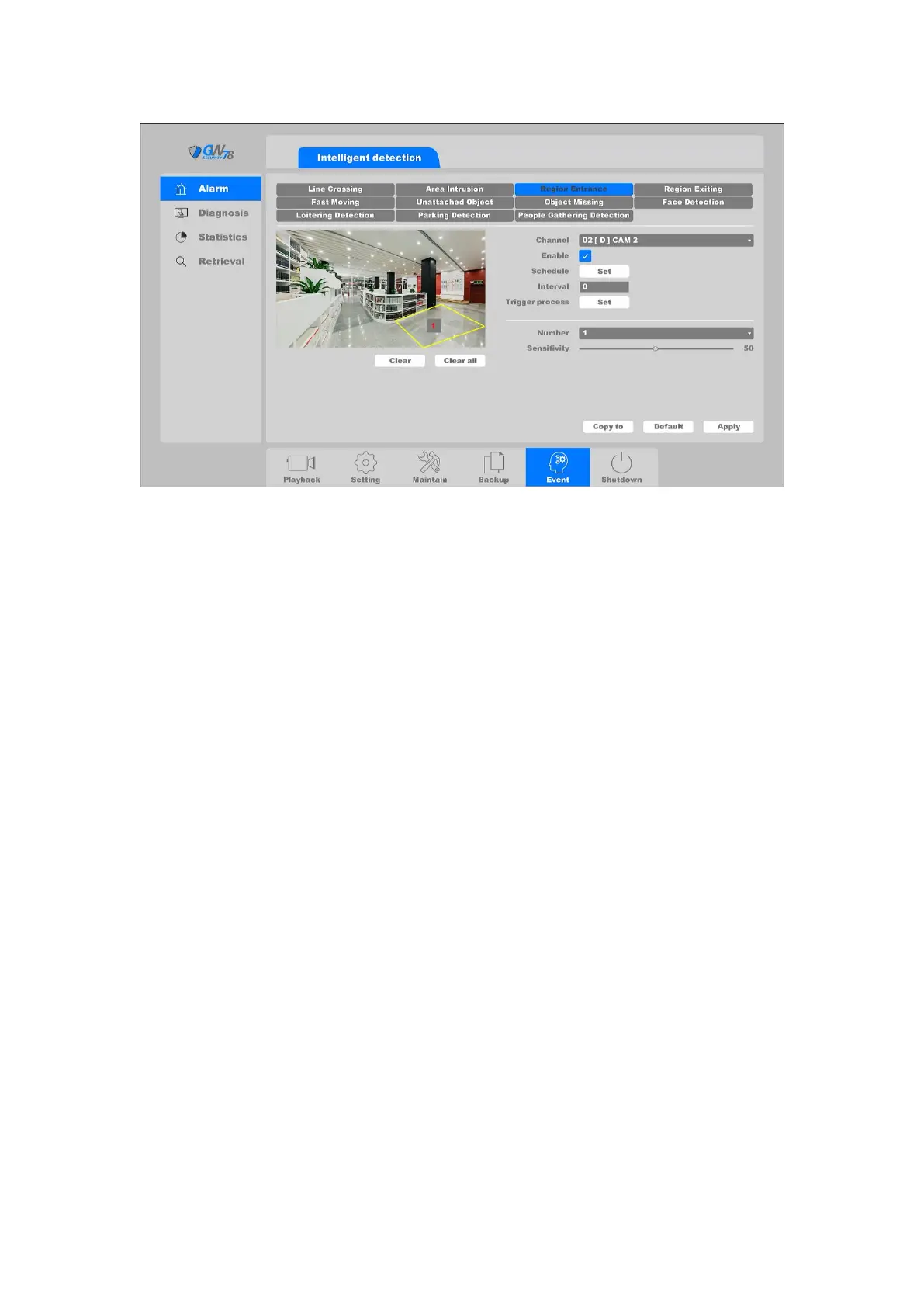
Figure 4-90 Region detection
Channel: Select the channel.
Enable: Intrusion detection enable toggle.
Schedule: Set the time slot to detect intrusion. You can take the setting of chapter
4.3.3.1 motion detection for reference.
Interval: Set the time interval of each intrusion detection triggered.
Trigger process: Set the handling action of intrusion detection; please take the setting
of chapter 4.3.3.1 motion detection for reference.
You can add a virtual area to the surveillance area using the following steps:
1. Choose the area number, the maximum number of the area is 4.
2. Adjust the sensitivity. Range from 1-100. The higher the value is, the more easily the
detection alarm can be triggered.
3. Click the Apply button to save the settings.
4.6.1.4 Region Exiting
Region Exiting function detects people, vehicles, and other objects which exit a forbidden pre-
defined virtual region from inside; certain actions can be taken when the alarm is triggered.
Click on the " Event -> Alarm -> Region Exiting "into the graphical interface.



 To Next Page